
The product
One shared record for every home.
The right view for everyone involved.
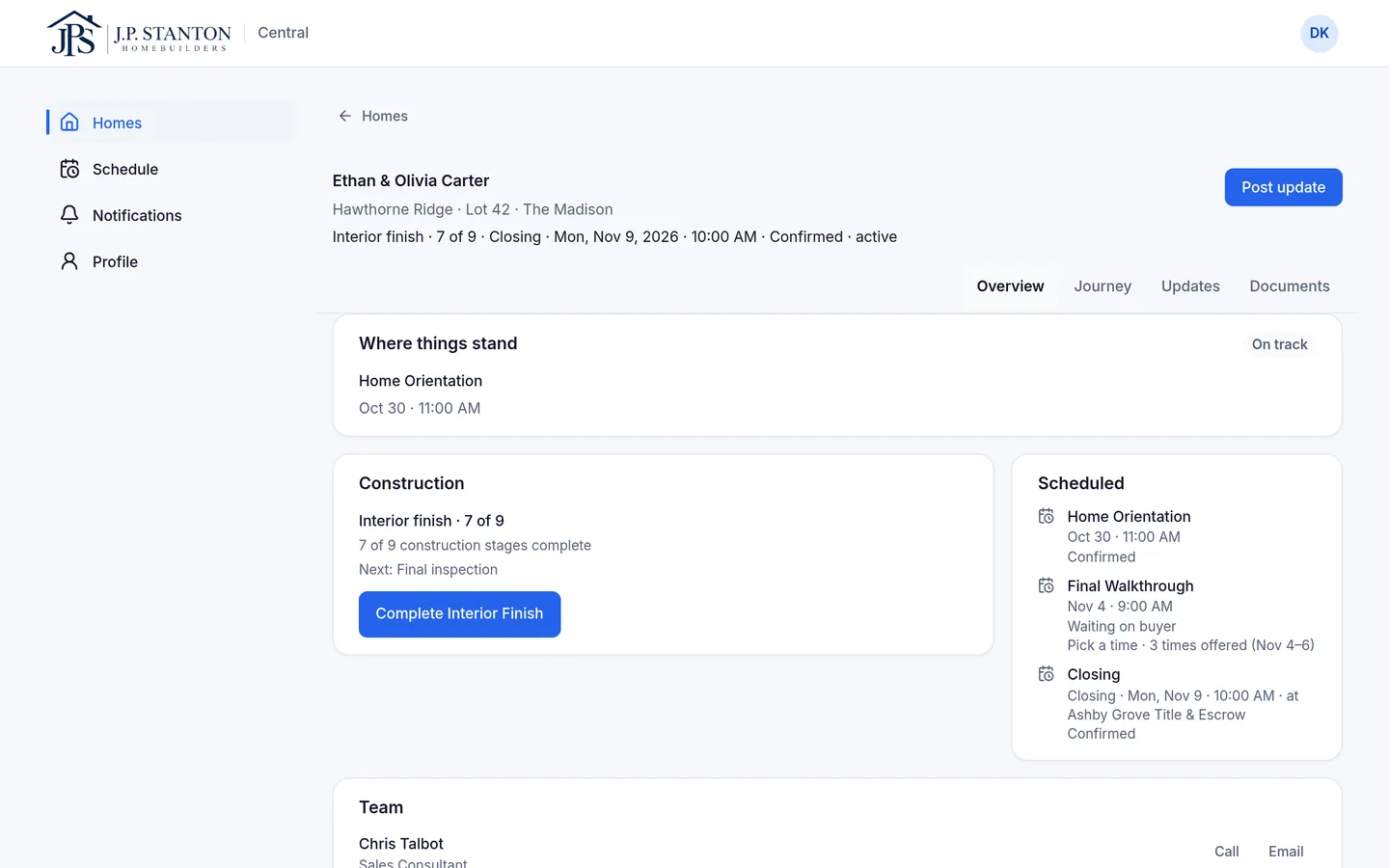
Stage, updates, photos, dates, documents, the loan milestone and closing live on the home. Your team, the buyer and their Realtor each open it and see what's theirs.
01 — One shared record
One home. Everything around it.
The lot, the plan and the buyers. The whole team. The stage, updates and photos. Dates, documents, the loan milestone and closing. All on the home, so the answer is there before anyone asks.
What just happened
Updates and homesite photos from the person who was there.
What's coming
Appointments, the next milestone and the closing date.
What's on record
Documents, the loan milestone and who's on the team.
02 — Role views
Same home. Different responsibilities.
Pick a seat. The home stays the same: Ethan & Olivia Carter's home on Lot 42. What changes is what each person owns.
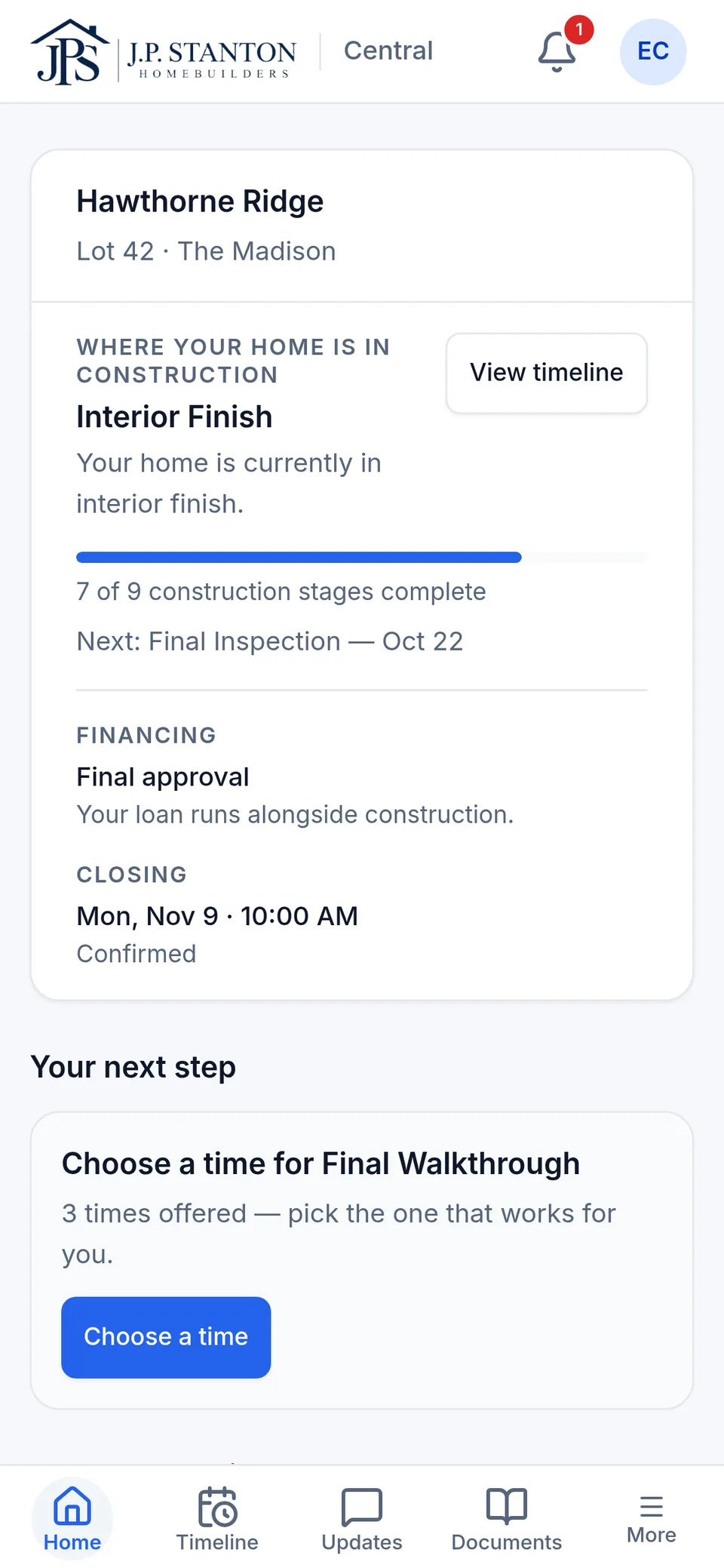
Buyer
“Where is my home, what changed, what's next, and do I need to do anything?”
- The current stage and a timeline of all nine stages
- Updates and photos from the superintendent
- One next step, or “Nothing right now.”
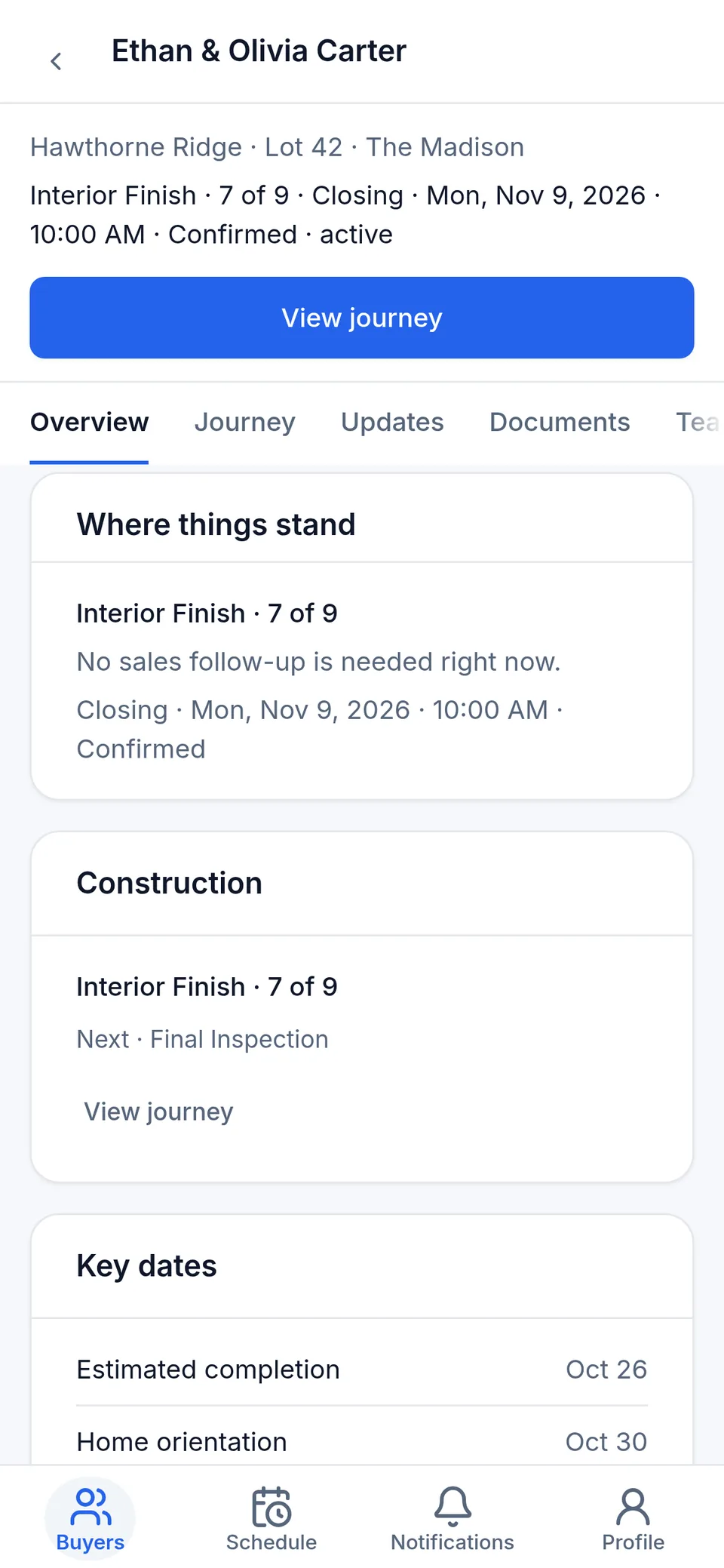
Sales consultant
“Which of my buyers need me today?”
- A Today card and the buyers who need you, each with the reason
- Stage, loan milestone and closing on every home, without a call to find out
- Add a new sale in five steps and invite the buyer
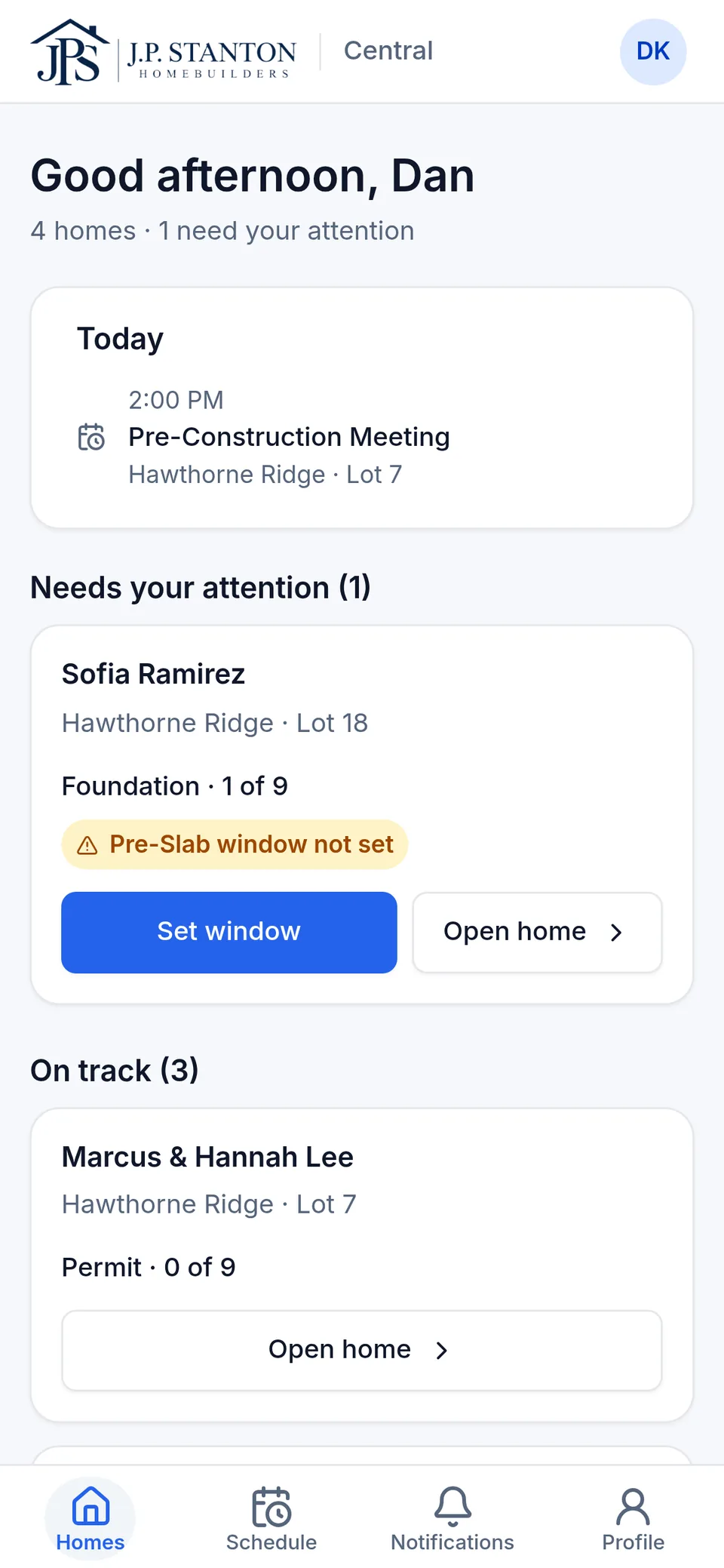
Superintendent
“Where do I need to be, and what's holding my homes up?”
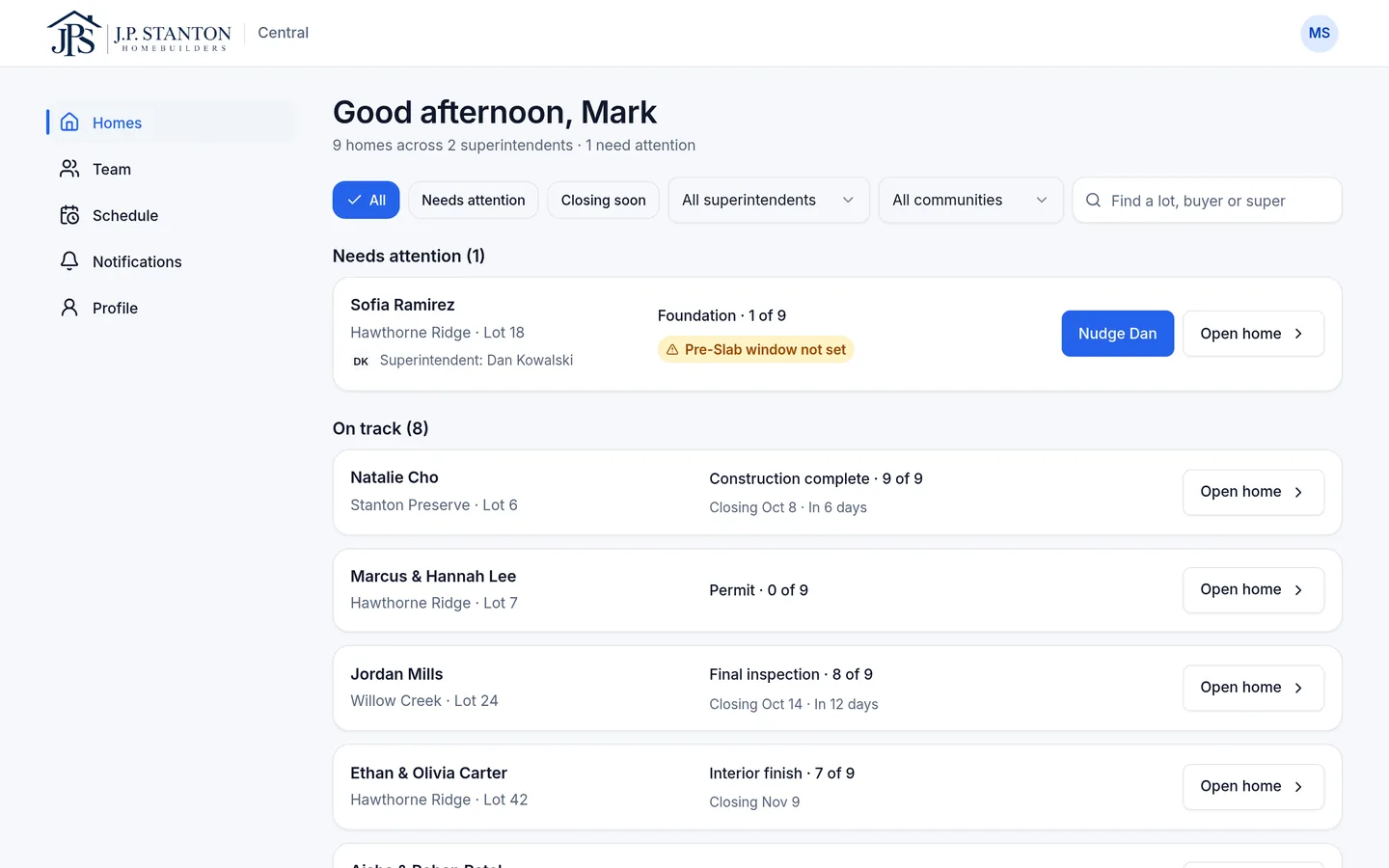
- Homes sorted with the ones that need you first, each flag with its reason
- Post an update with photos, mark a stage complete, set inspection windows
- Today: where you need to be, and with which buyer
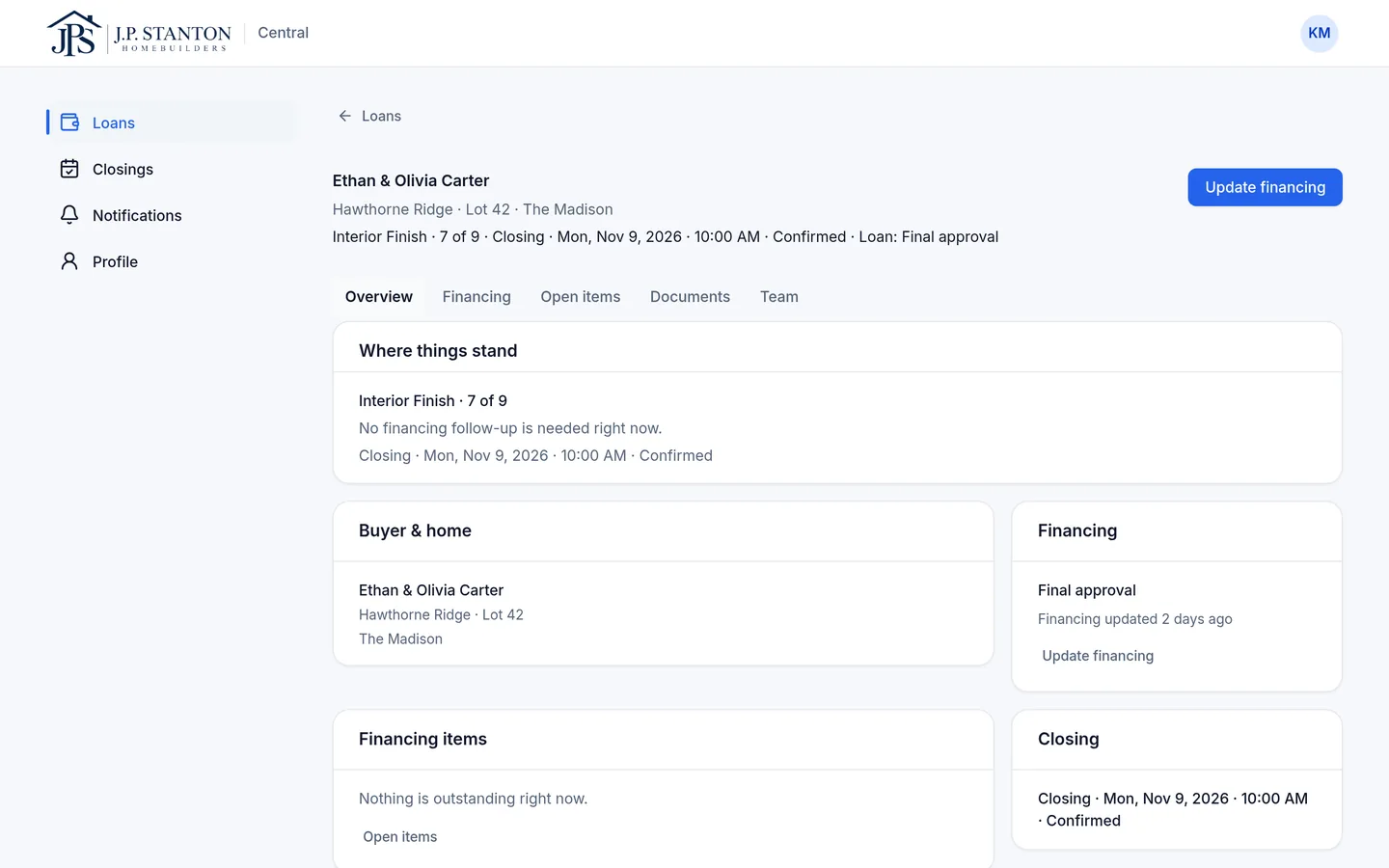
Loan officer
“Which of my loans need something?”
- Only the homes they're assigned to, including for outside lenders
- Keep the loan milestone current, from application to clear to close
- Closings on their homes in one list
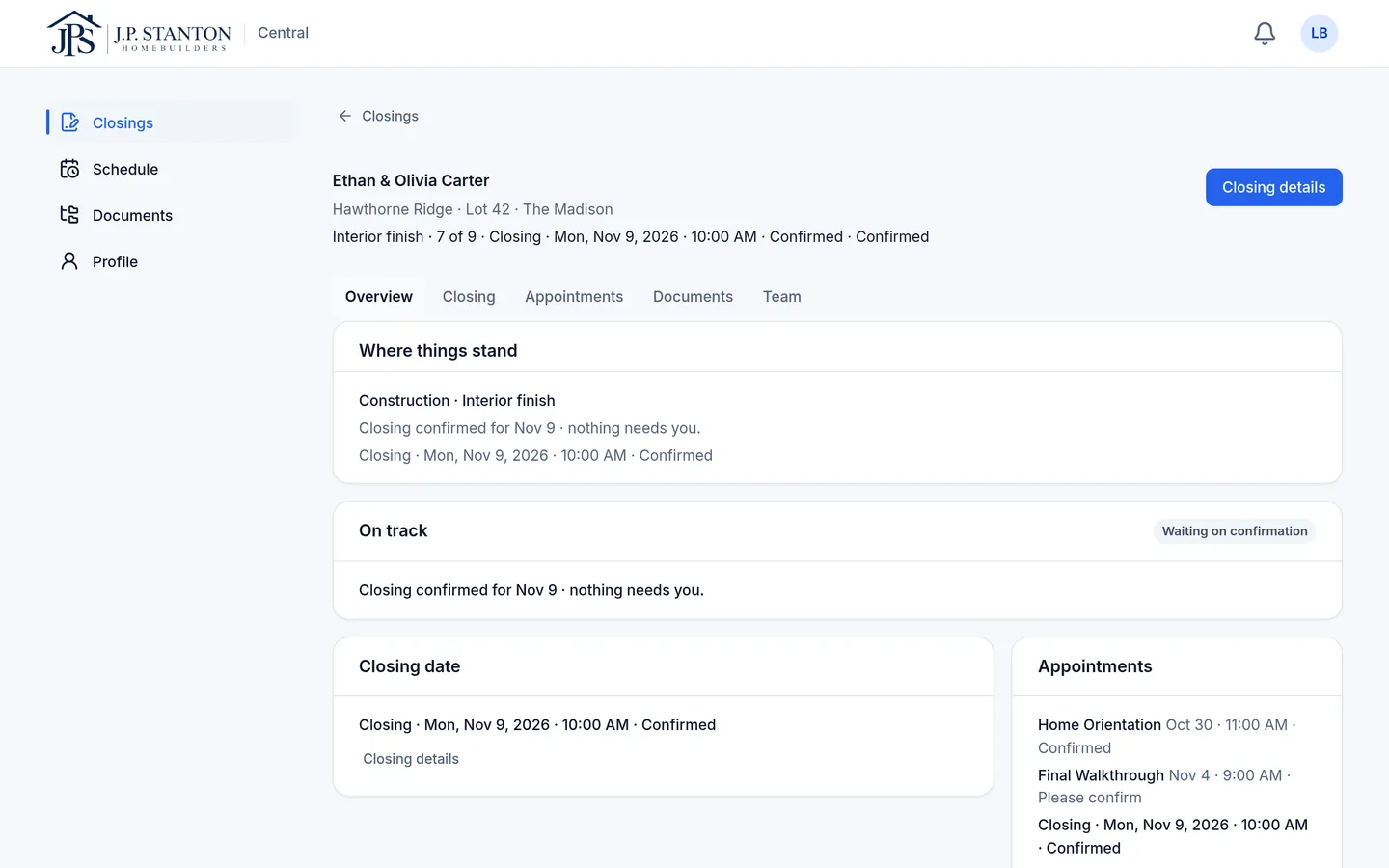
Closing coordinator
“Is this closing ready, and who owns what's left?”
- One closing record: date, time, place, status
- An owner on every open item, like “Construction owns this”
- The home's documents in one place
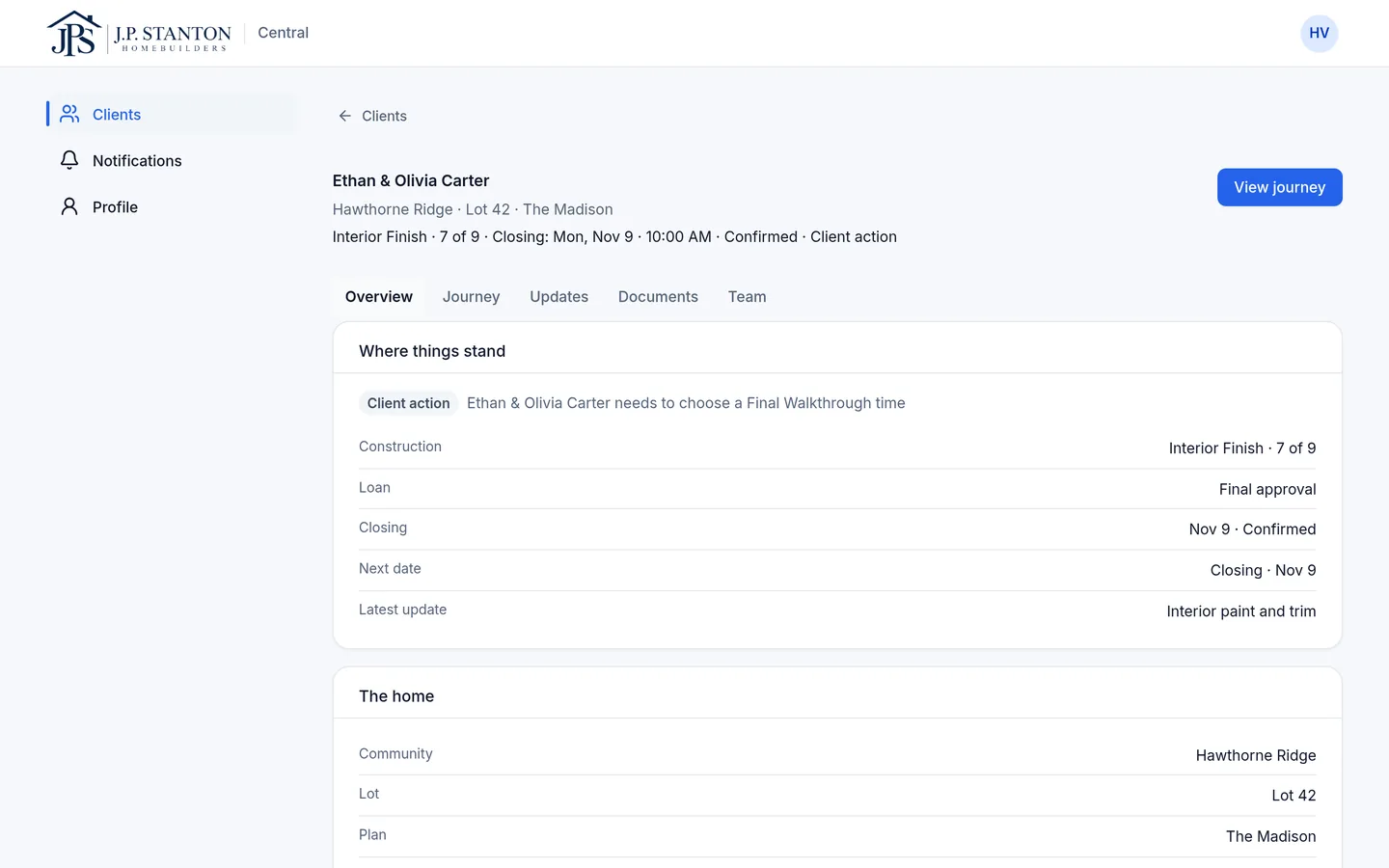
Realtor
“How is my client's home coming along?”
- Where things stand, the next dates and anything the client needs to do
- Only their clients' homes, never your operations
- A notification when your team shares an update with the buyer
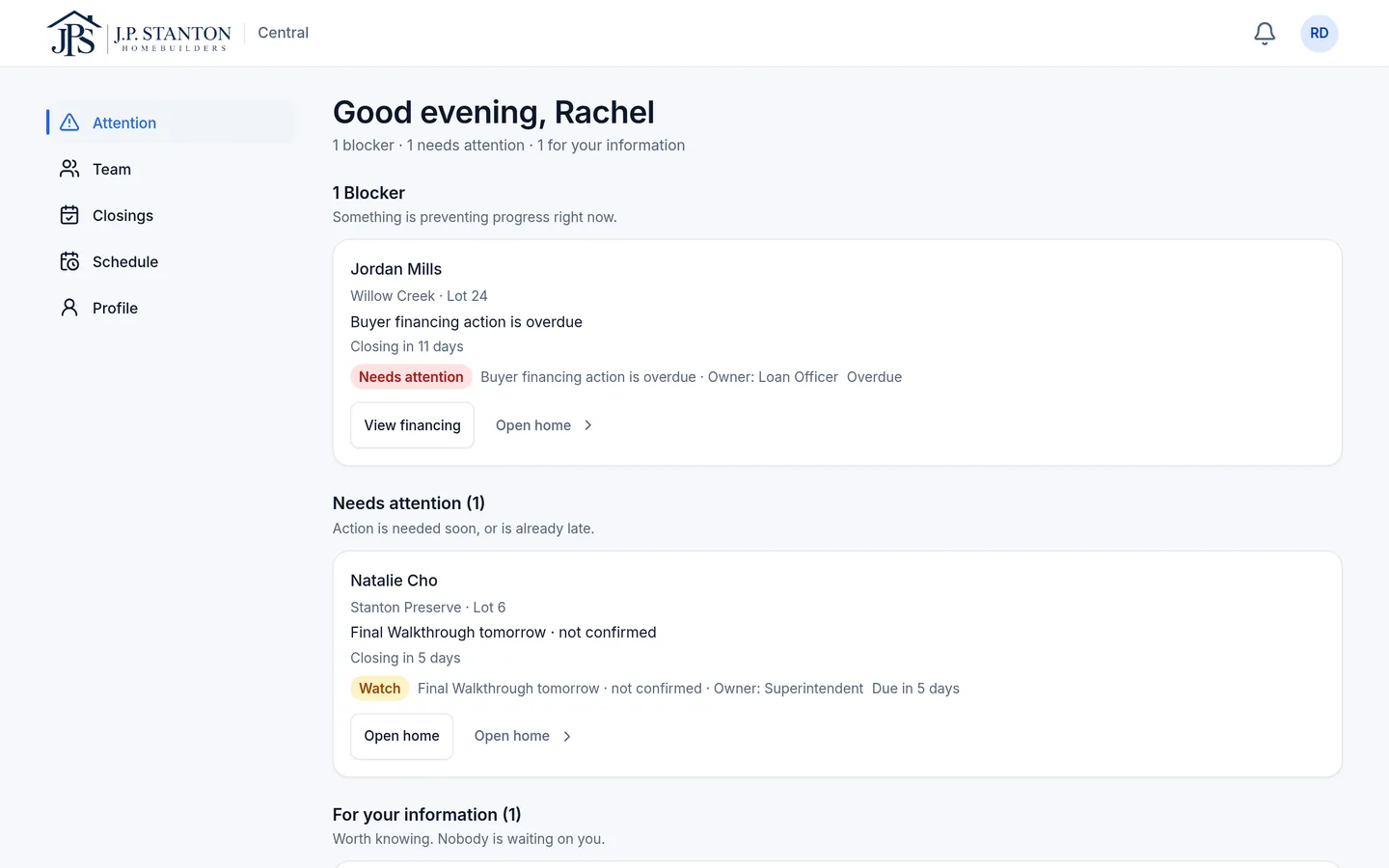
Sales manager
“Which homes need a decision today?”
- An Attention list sorted by what's blocking progress
- Every consultant's buyers on one Team page
- Closings in the next 30 days
Product screens from our demo builder · fictional sample data.
Responsibility
The answer comes from the person who owns it.
- Construction owns progress, and what the buyer sees of it.
- Loan officer keeps the loan milestone current.
- Closing owns the closing date, time and place.
- Sales owns the buyer relationship.
- Buyer owns only the actions that are genuinely theirs.
- Leadership sees the exceptions and who owns the next step.
03 — From the field
Posted once from the field. Seen by everyone who needs it.
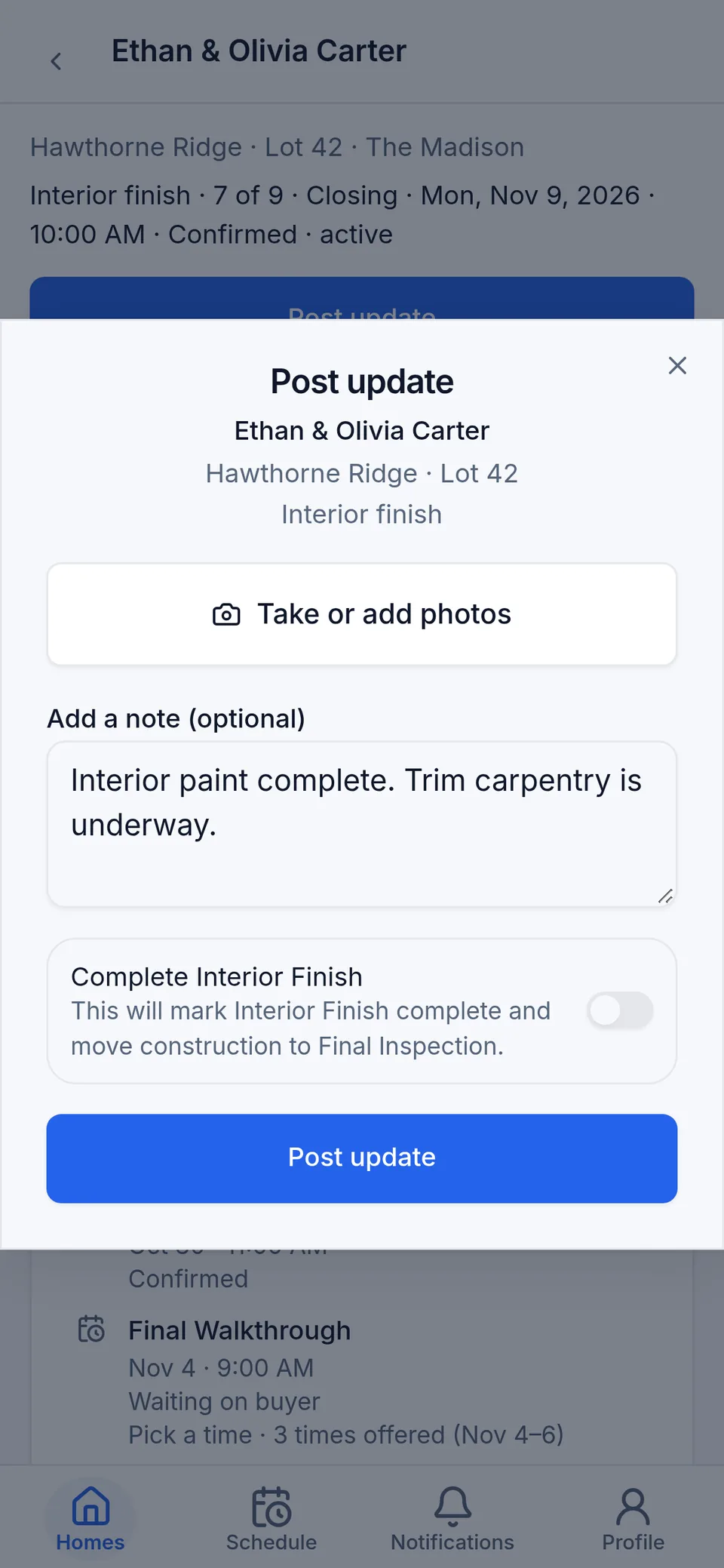
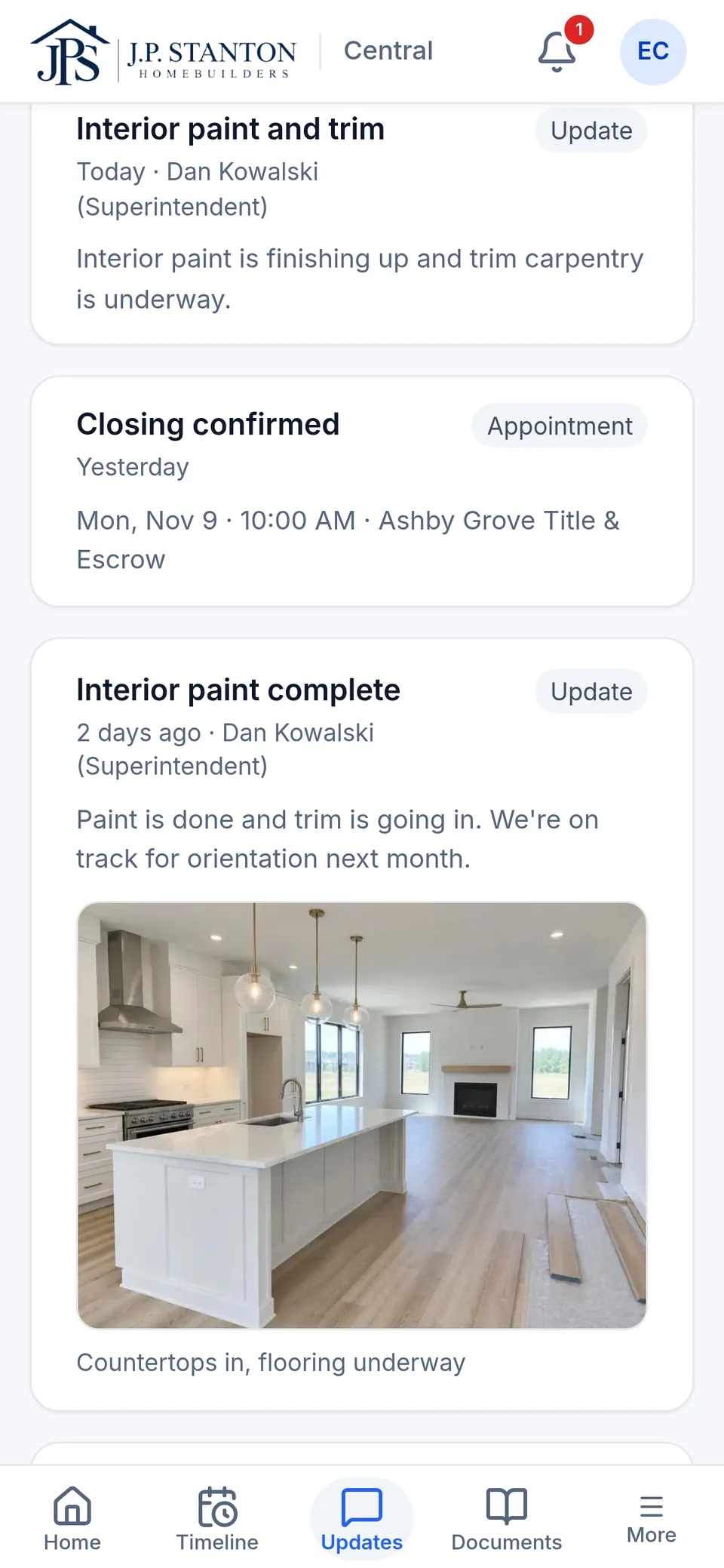
The superintendent posts a note, the stage and a photo while standing at the home. That one post is the update everyone was waiting for.
The superintendent posts the update and photos.
Entered once, by the person who was there.
The home's record moves forward.
The update and the stage are saved on the home.
Everyone sees their part.
The buyer gets the update and photo, sales and the Realtor see the new stage, and the construction manager sees anything that's flagged.
SingleStory doesn't replace your construction schedule, and it doesn't sync with it today.
04 — Financing
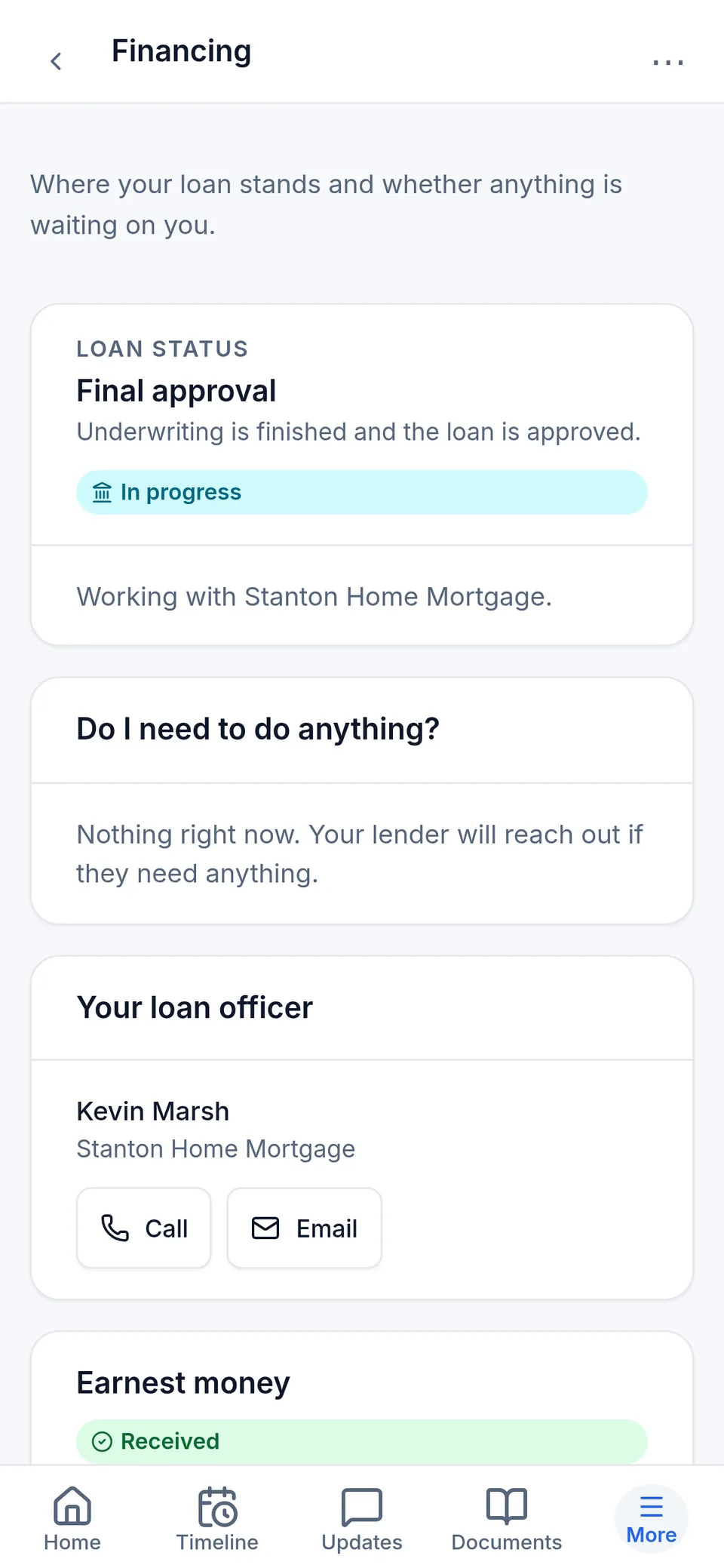
Loan status everyone can see. Lending stays with the lender.
The loan officer keeps the loan milestone current on their homes, from application to clear to close. Sales, closing and the buyer see the same status. Loan documents stay with the lender.
- The loan officer adds updates as the loan moves.
- Everyone else sees the same milestone.
- Outside lenders see only the homes they're added to.
- SingleStory is never the lender's system of record.
05 — Closing
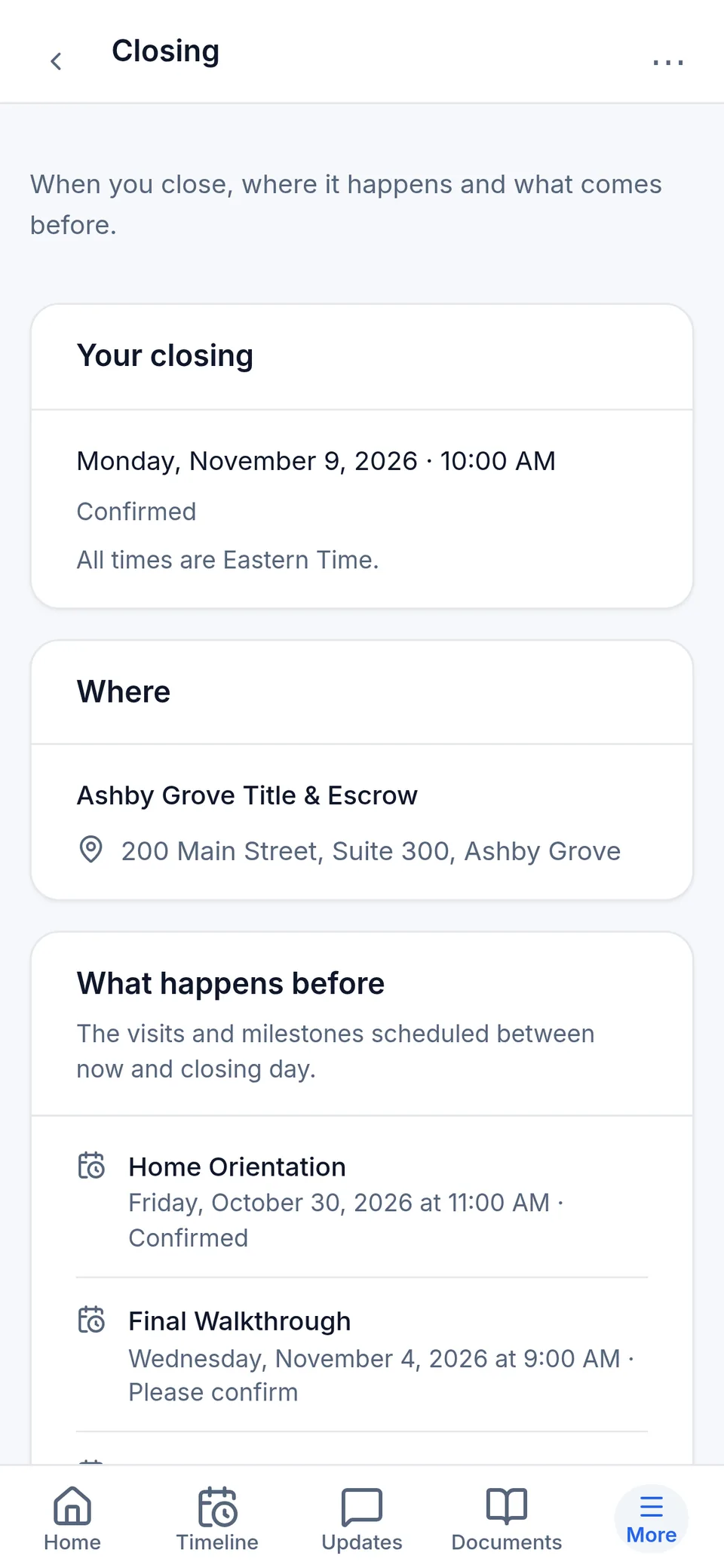
One closing date. One answer.
Closing owns the date. Everyone sees the same date, time and place, not three versions of it. Anything still open shows who owns it.
06 — Leadership
Manage the exceptions.
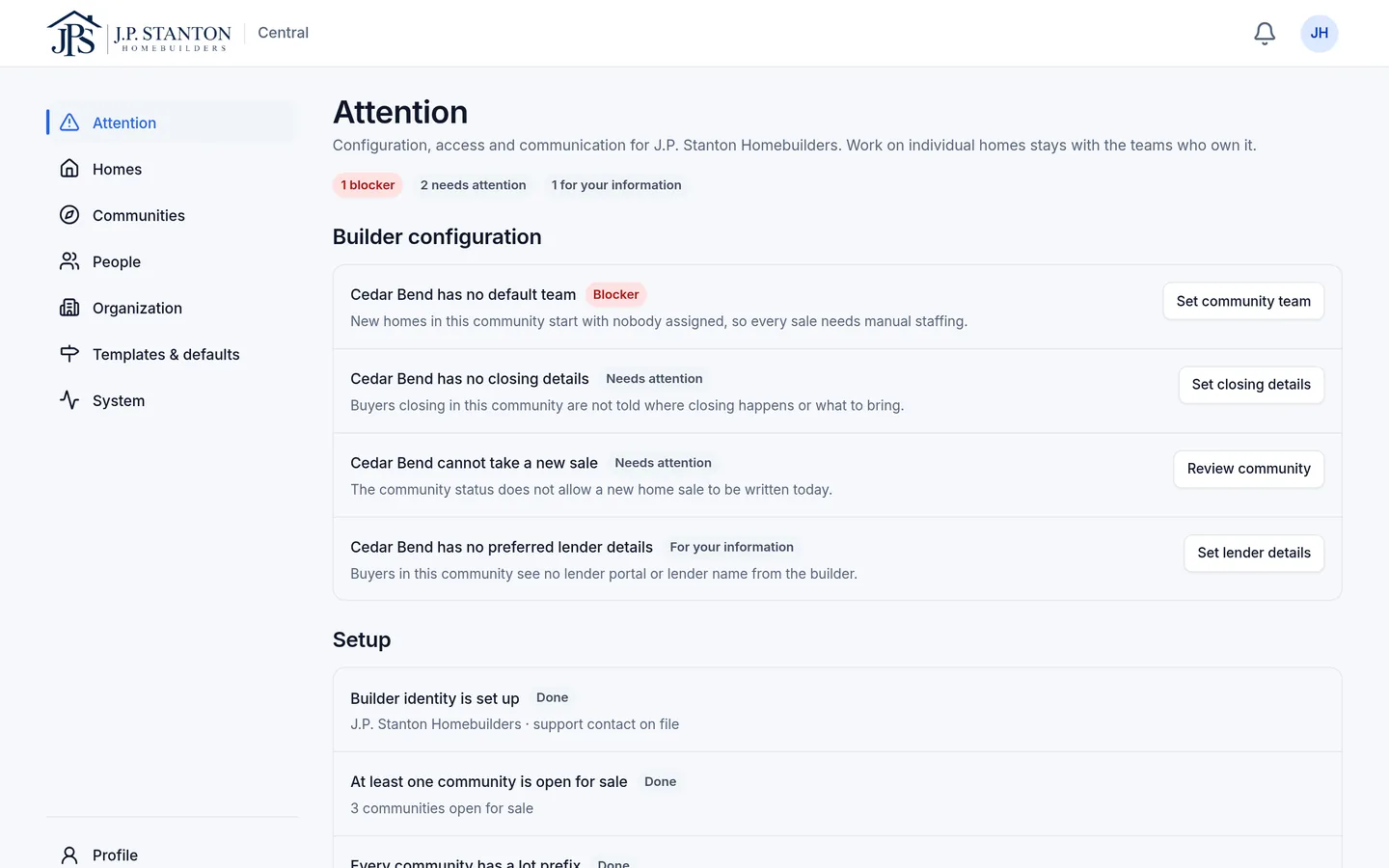
Nobody should have to open every home to find the few that need help. SingleStory flags them with the reason and the owner. The rest stay quiet.
- Buyer financing action is overdue
- Final Walkthrough not confirmed
07 — Set up around how you build
Set up around how you already build.
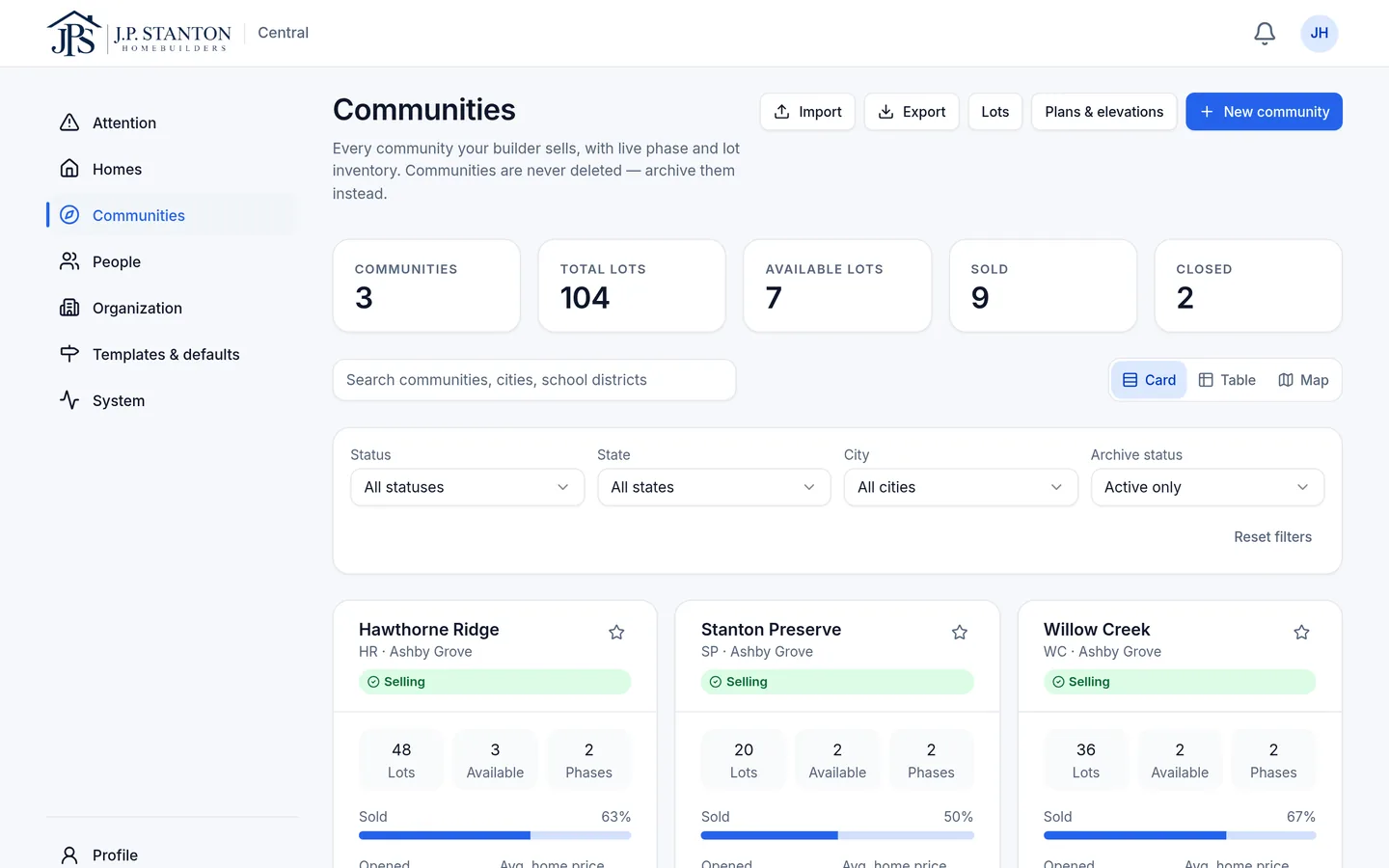
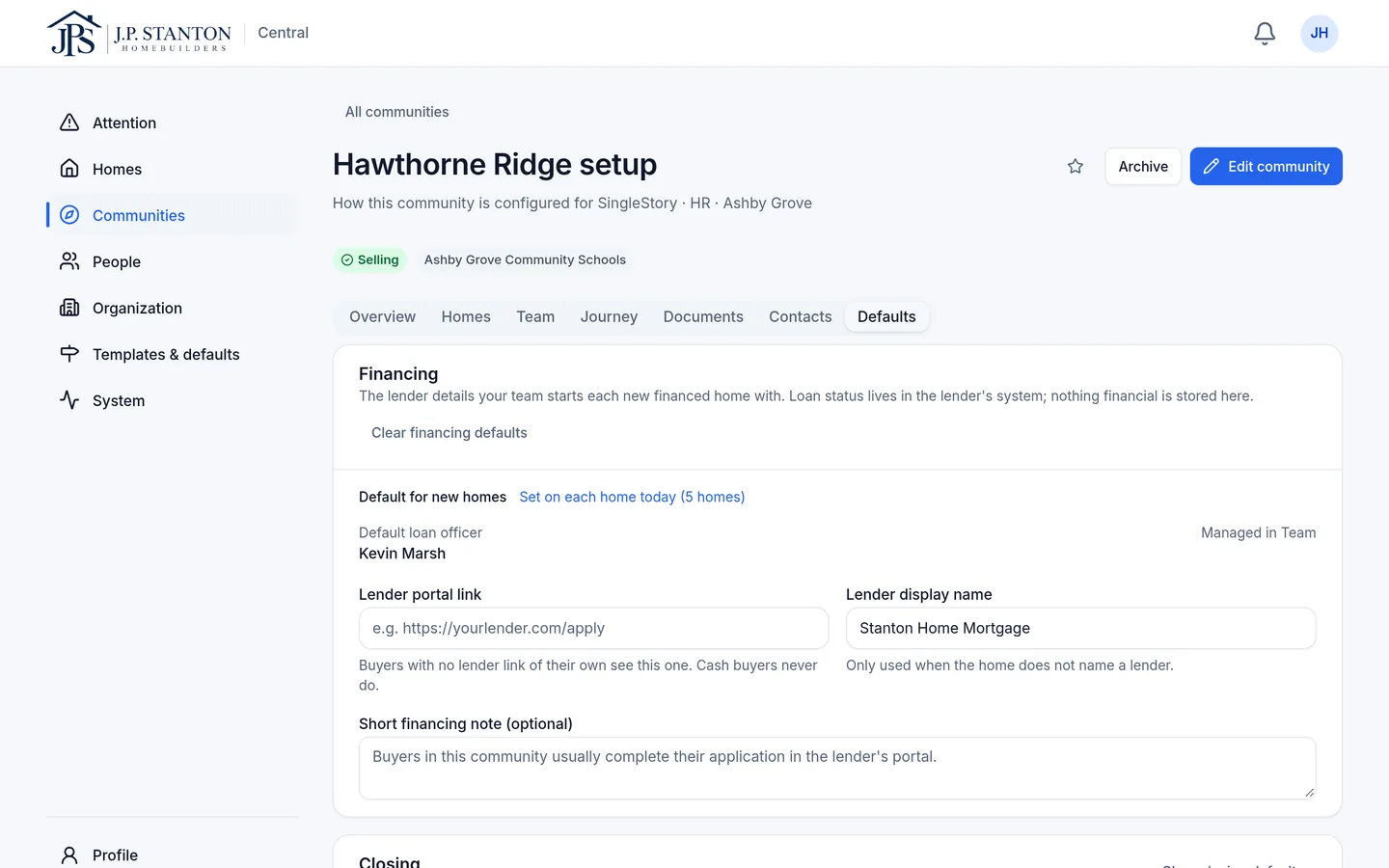
We set up your divisions, communities, lots and plans once. Each community has defaults for the lender and closing, so every new home starts ready.
- Builder
- Region (optional)
- Division
- Community
- Home
- Your logo and colors on every buyer screen
- Divisions with their own teams
- Community defaults for financing and closing
- Community documents and document packages, managed by your team
- Audit history: who changed what, in plain language
Notifications people actually control.
Email and in-app notifications. Each person picks what they get by email: progress, dates, their own actions, financing and closing. Text and push notifications aren't part of SingleStory today.
08 — Your systems
Keep your systems of record.
SingleStory keeps the people on the same page. Your CRM, schedule, accounting, lender and title systems keep running the business. Nothing syncs automatically today; integrations are planned.
- CRM
- Construction
- Accounting
The shared record
Hawthorne Ridge
Lot 42
- Scheduling
- Lending
- Closing
See how one home moves through SingleStory.
We'll walk one home from contract to closing and show what each person sees.