

For homebuilders · Contract to closing
Any update
on my home?
Now answered once. For everyone.
Today one buyer question bounces between sales, construction, lending and closing. SingleStory gives every home one shared timeline, so buyers, Realtors and your team are finally on the same page.
Works alongside the CRM, construction schedule and accounting system you already run. See what's live today
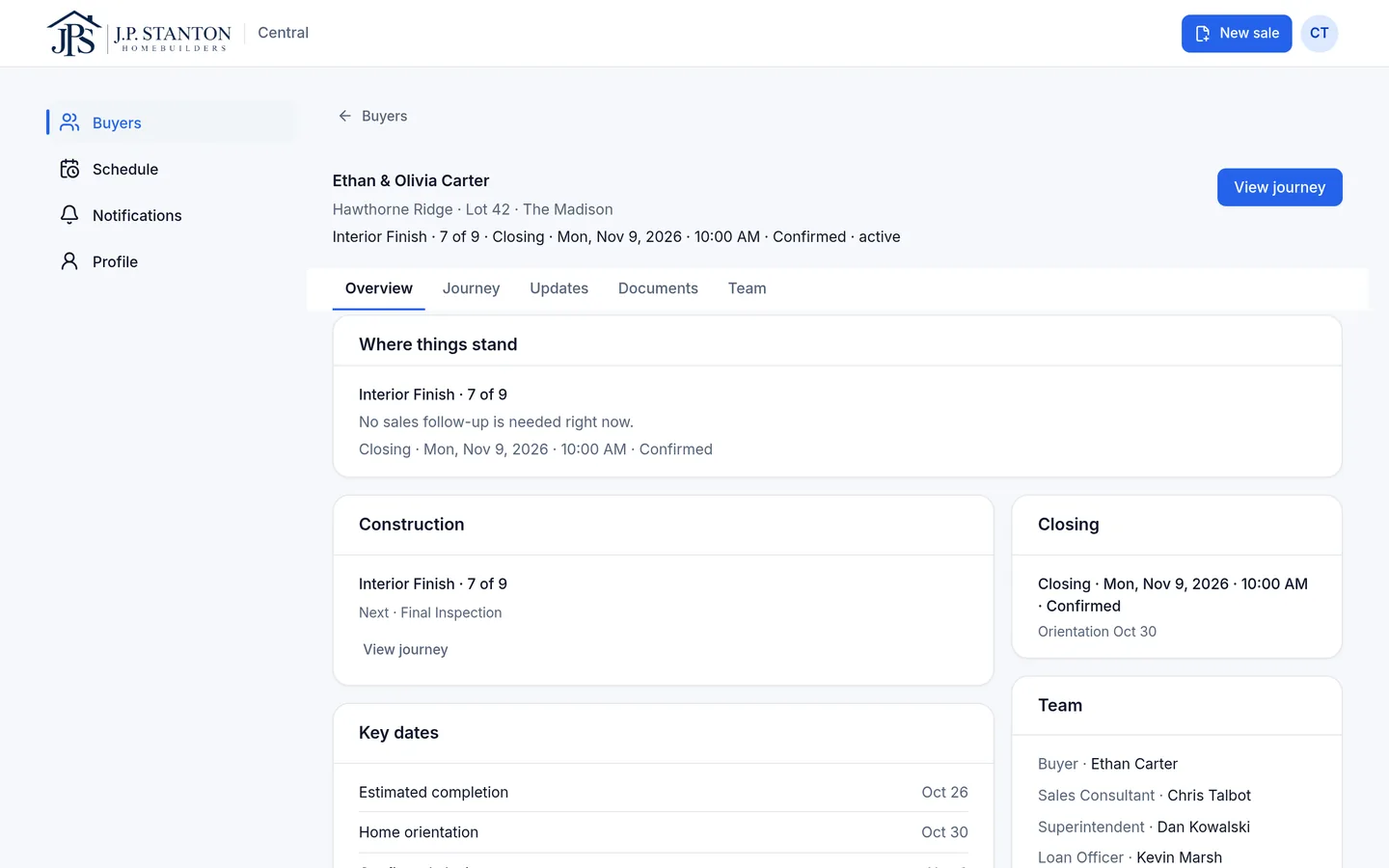
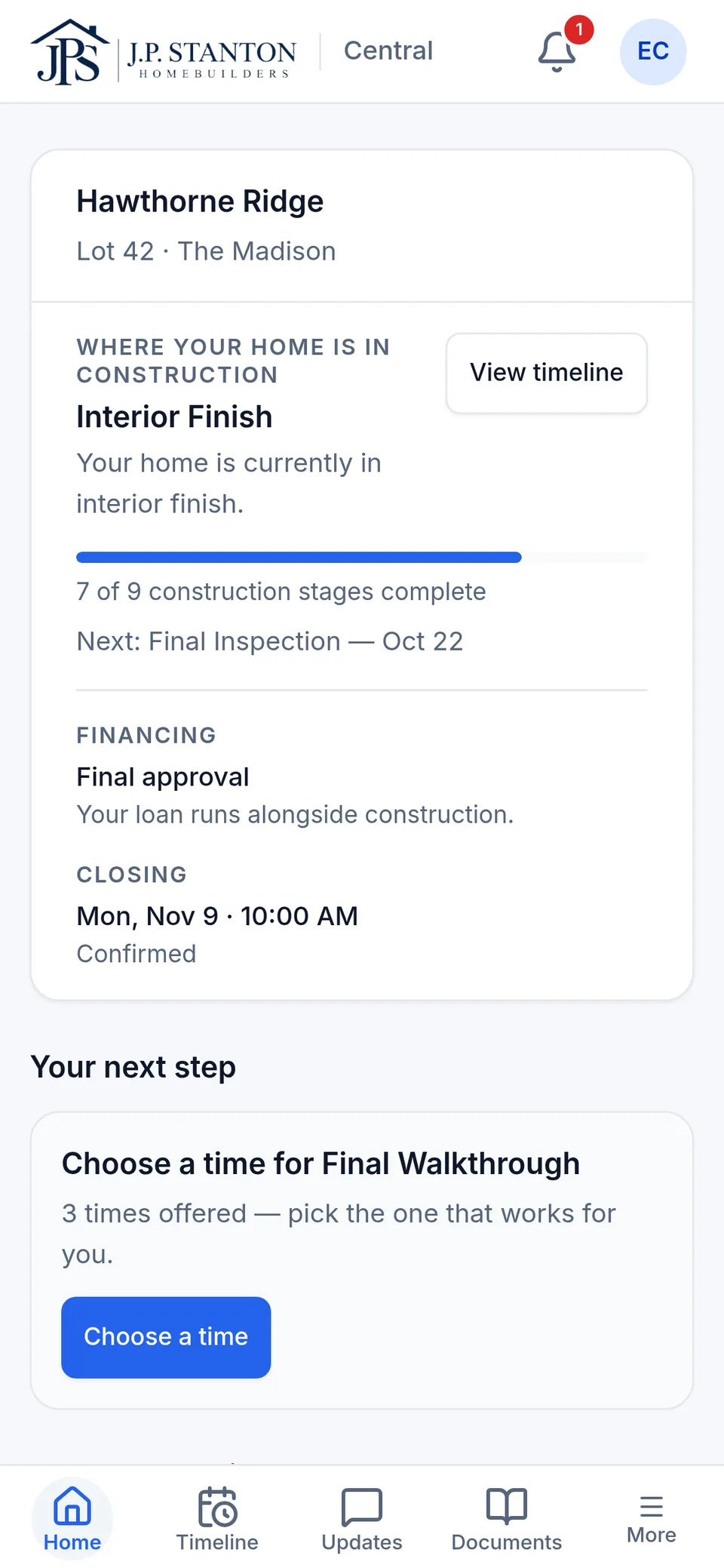
Update posted once
Dan Kowalski · Superintendent · Lot 42
Interior paint complete
Visible to
- EOEthan & Olivia · Buyers
- CTChris Talbot · Sales
- HVHeather Voss · Realtor
Demo builder · fictional sample data
- Buyers
- Sales
- Superintendents
- Loan officers
- Closing
- Realtors
- Leadership
Sound familiar?
One question. Six conversations.
Here's how a simple question travels through a typical week after contract.
The buyer calls their sales consultant: “Has drywall started?”
Sales texts the superintendent.
The superintendent calls back between inspections.
Sales calls the buyer back.
Two days later, the Realtor calls with the same question.
On Monday, the sales manager asks where that home stands.
Everyone did their job. One answer still took six calls and texts to get where it was needed.
What your team hears every week
“Has construction actually started?”
Buyer
“Can someone send me the latest update?”
Realtor
“The closing date moved. Who told the buyer?”
Closing
“What does the lender still need?”
Sales
“When is my orientation?”
Buyer
“Do I need to do anything?”
Buyer
Someone usually knows the answer. The problem is getting it to everyone else.
What it costs you
Your systems may be connected. Your people aren't.
Between contract and closing, a home's status is spread across the CRM, the schedule, the lender's system, inboxes, group texts and somebody's memory. The information exists. Getting it to the right person is the work.
Hours spent relaying
Sales and superintendents spend their day passing along updates someone else already has.
Realtors left in the dark
When the agent can't see progress, they call your team. Each call is a chance to look disorganized to someone who sends you buyers.
Dates that don't match
Closing has one date, sales another, the lender a third. The buyer hears all of them.
Appointments that slip through
Closing is next week and the final walkthrough still isn't scheduled, because it wasn't on anyone's screen.
Buyers who feel forgotten
Three quiet weeks feel like a problem, even when construction is on schedule. That feeling shows up in the survey, the review and the referral.
Leadership finding out last
Managers learn a home is stuck when the buyer complains, not when it got stuck.
Today, a buyer's experience often depends on whether someone remembered to send the update.
How it works
Update the home once. Everyone sees what they need.
Every home gets one shared record: a timeline for the buyer, your team, the Realtor and the lender. Whoever does the work adds the update, and each person sees the part that's theirs.
Step 1
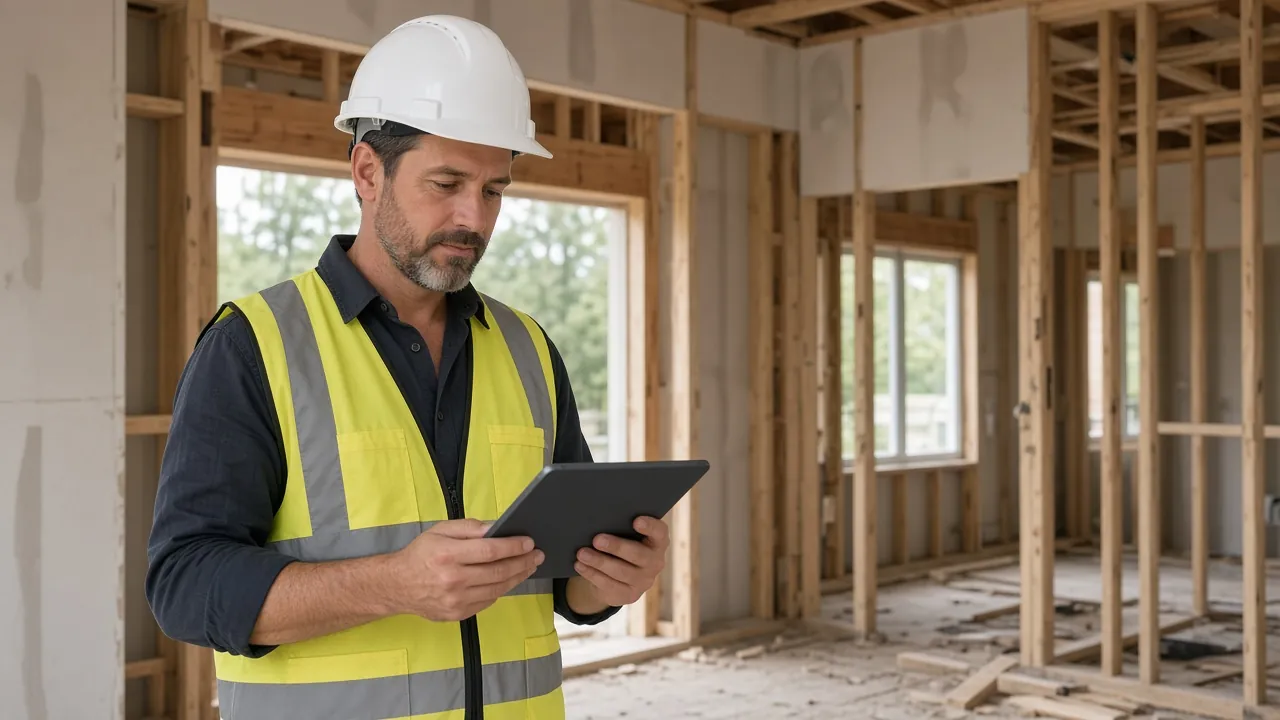
The superintendent posts from the homesite.
A short note, the stage and a photo, from their phone while standing in front of the home.
What SingleStory delivers
- Stage, note and photos in one post
- Posted from a phone, at the home
- Lands on the home's timeline right away
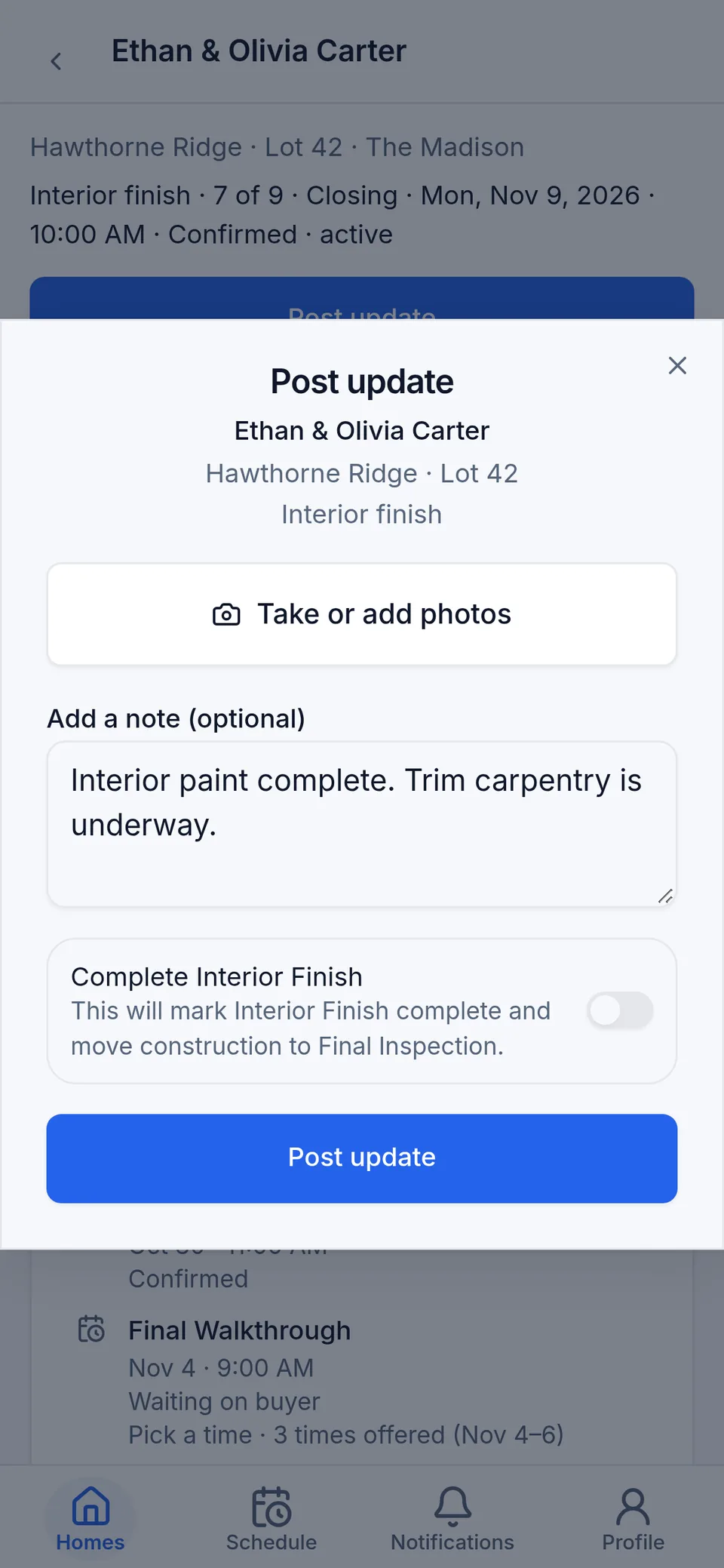
Product screen · fictional sample data Step 2
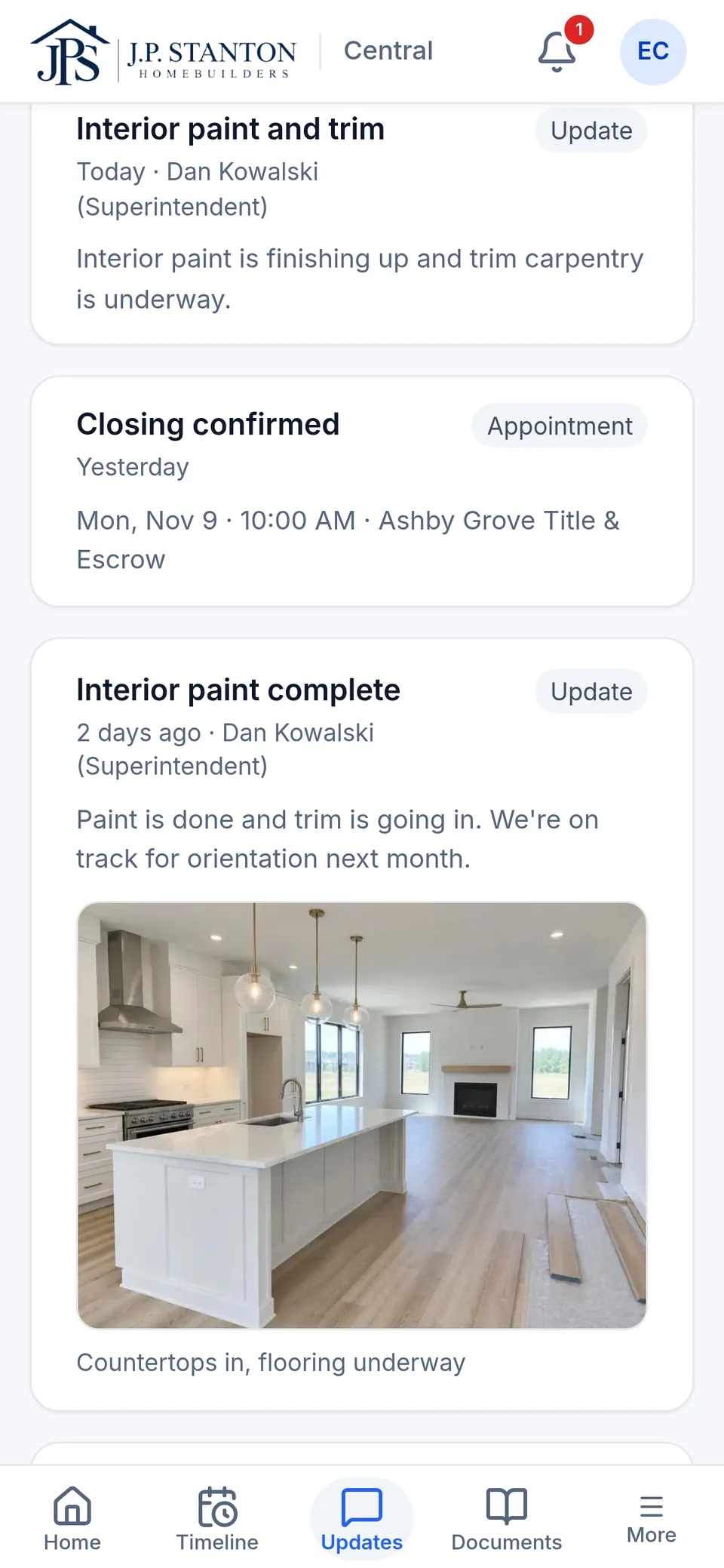
The buyer sees it on their timeline.
The update and photo land in the buyer's Updates, and they get a notification.
What SingleStory delivers
- The update and photo appear in the buyer's Updates
- Email and in-app notification
- One next step stays on the buyer's home screen

Product screen · fictional sample data Step 3
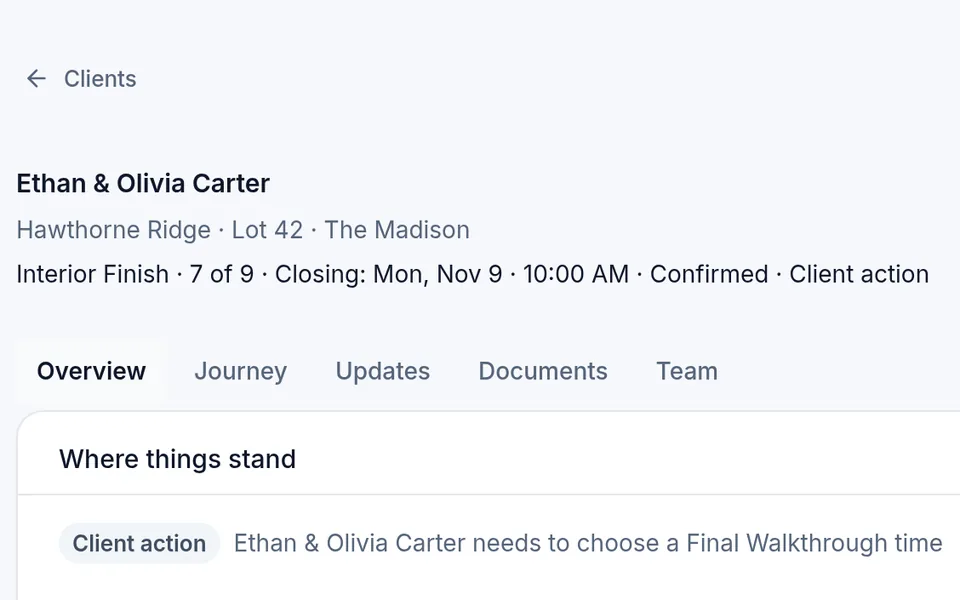
Sales and the Realtor see the same home.
Your sales consultant and the buyer's Realtor see the new stage on their own screens. Nobody has to call to ask.
What SingleStory delivers
- The same stage on the sales consultant's screen
- The Realtor sees only their client's home
- Nobody retypes the update or calls to ask

Product screen · fictional sample data


Notifications go out by email and in the app.
One home. Every view.
Everyone involved in building the home. Finally on the same page.
Same home, same dates, same status, different responsibilities. Each person sees what they own and nothing they shouldn't.
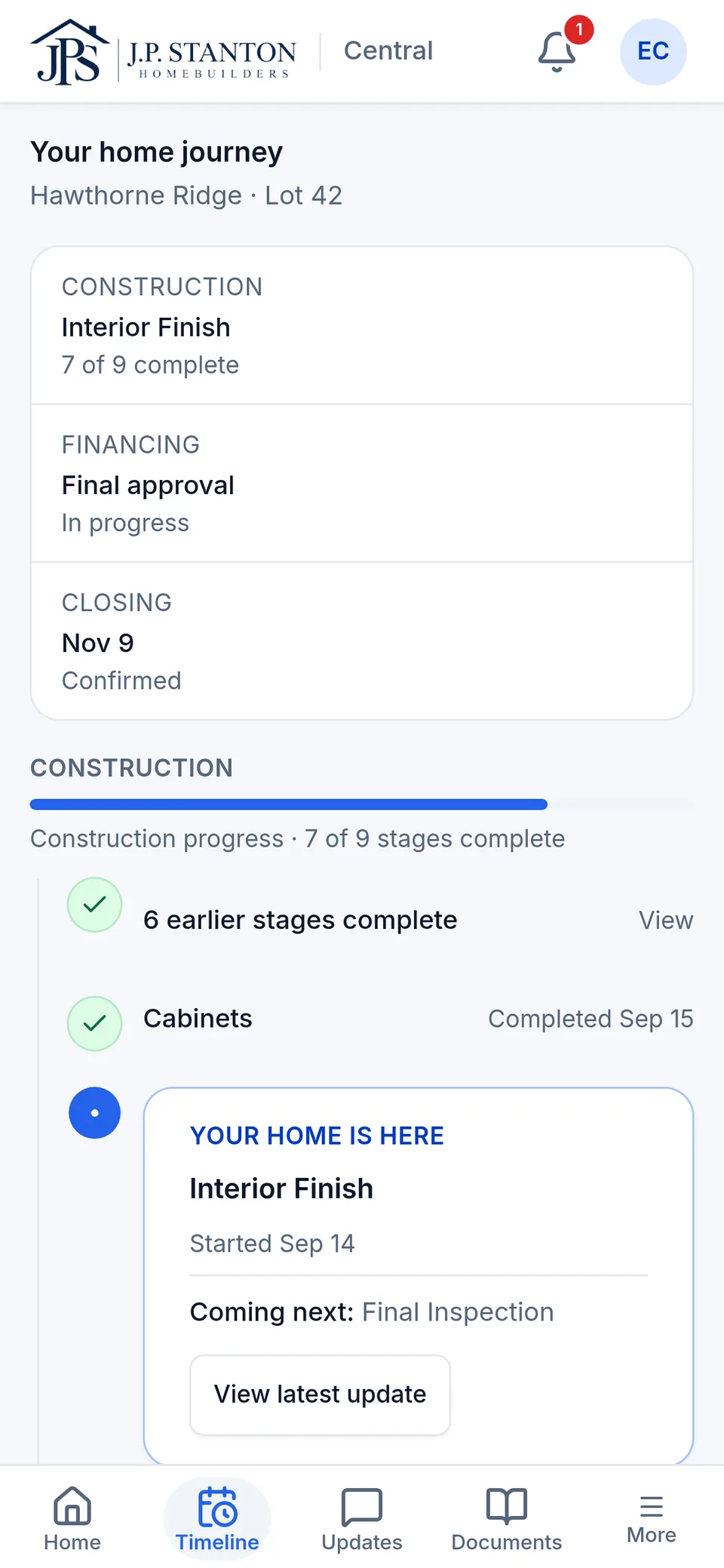
Buyer
Where is my home, what changed, and do I need to do anything?
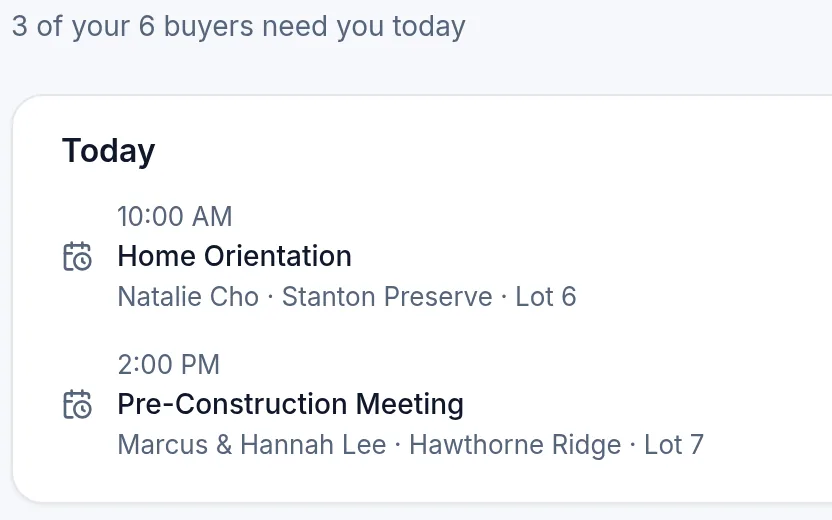
Product screen · fictional sample data Sales consultant
Which of my buyers need me today, and why?
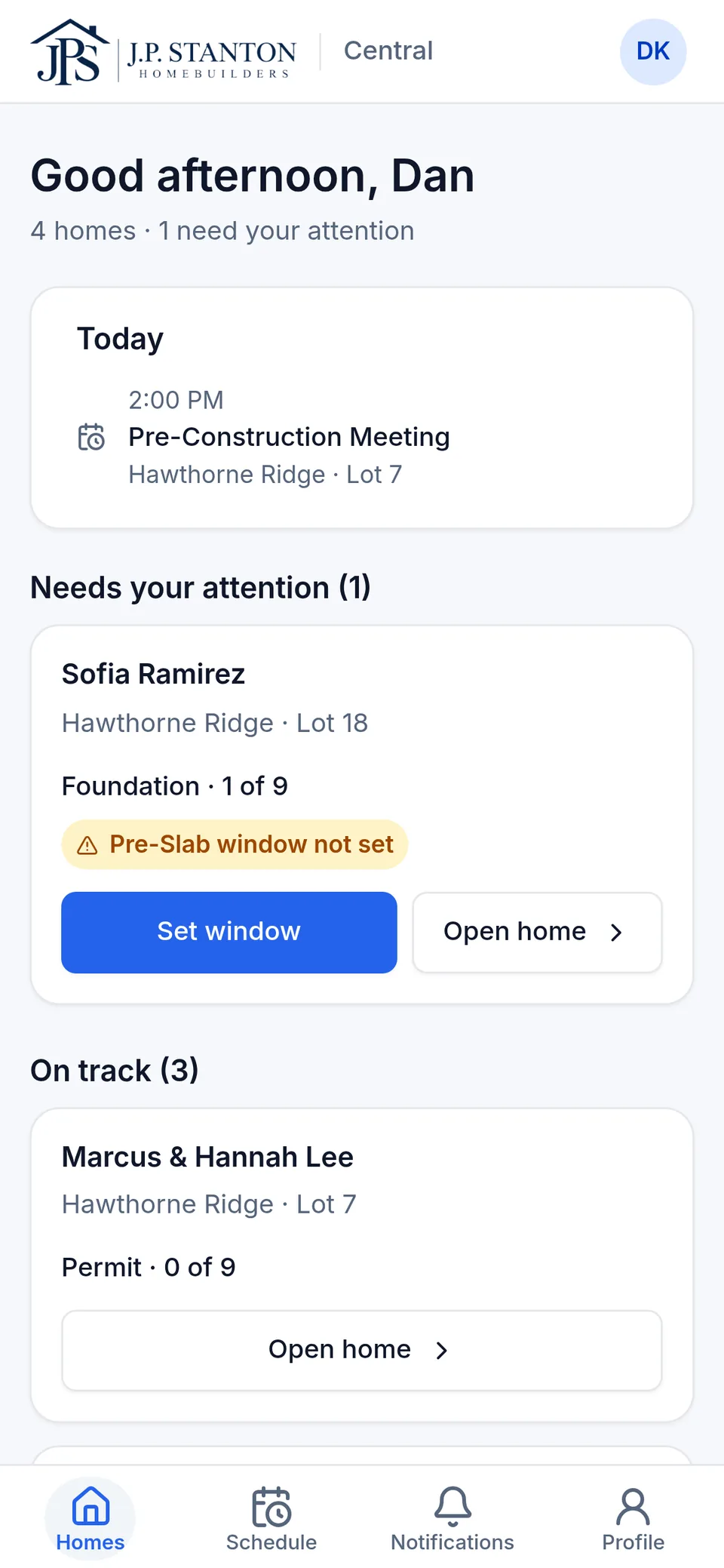
Product screen · fictional sample data Superintendent
Where do I need to be, and what's holding my homes up?
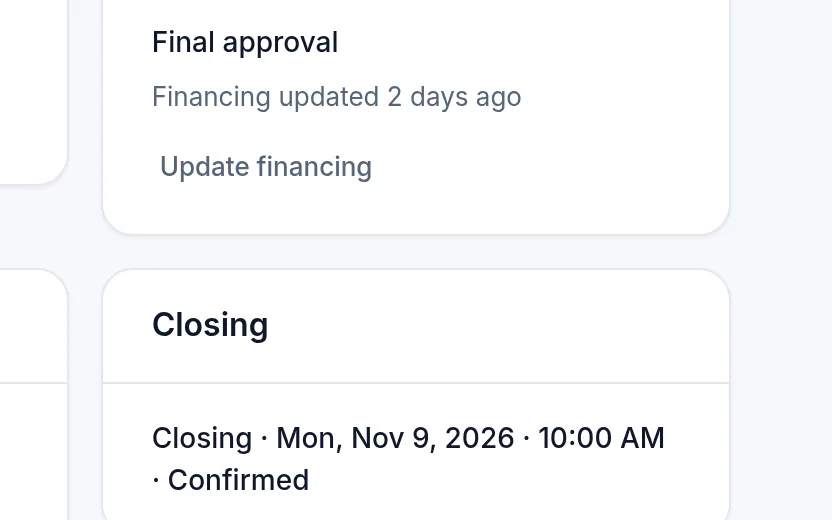
Product screen · fictional sample data Loan officer
Keeps the loan milestone current on the homes they're assigned to.
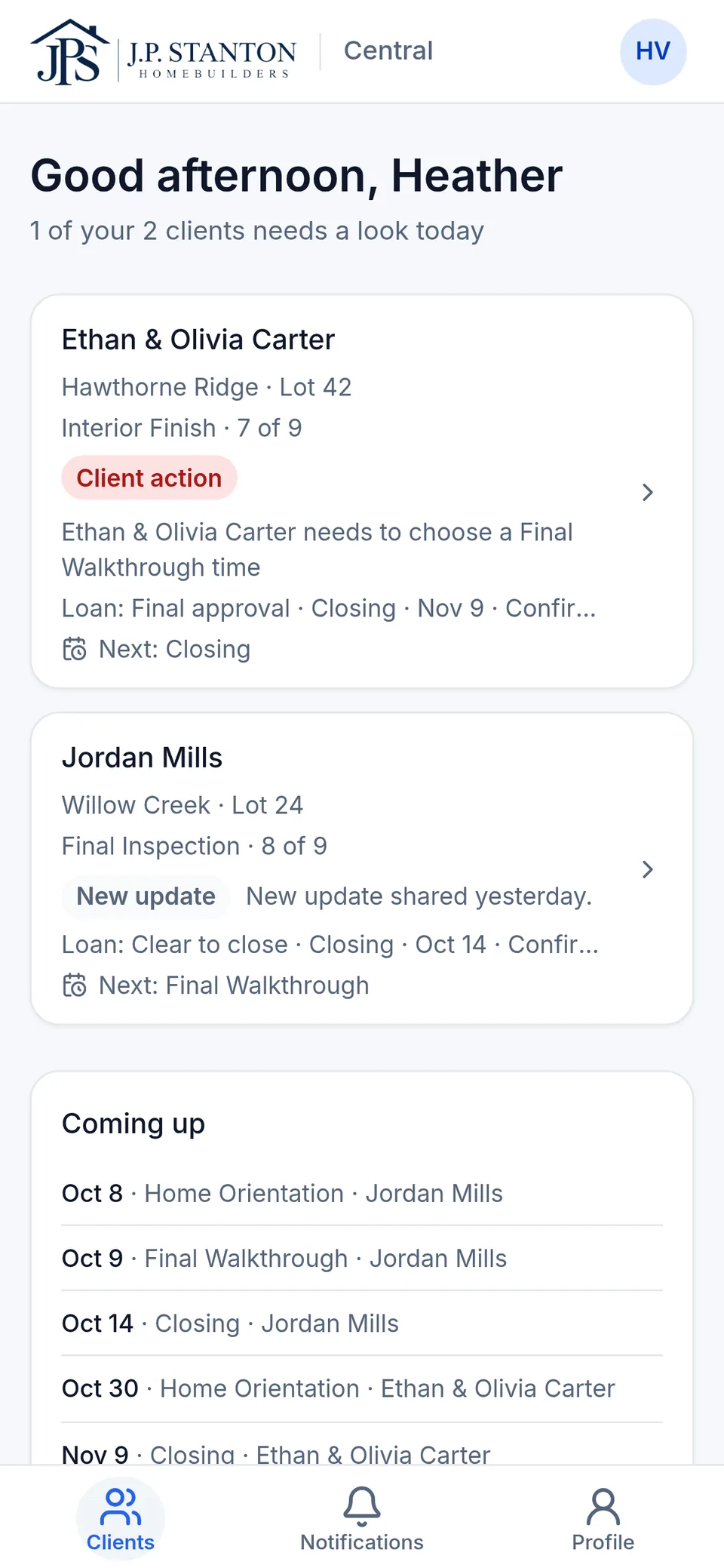
Product screen · fictional sample data Realtor
How is my client's home coming along? Only their client's home, nothing internal.
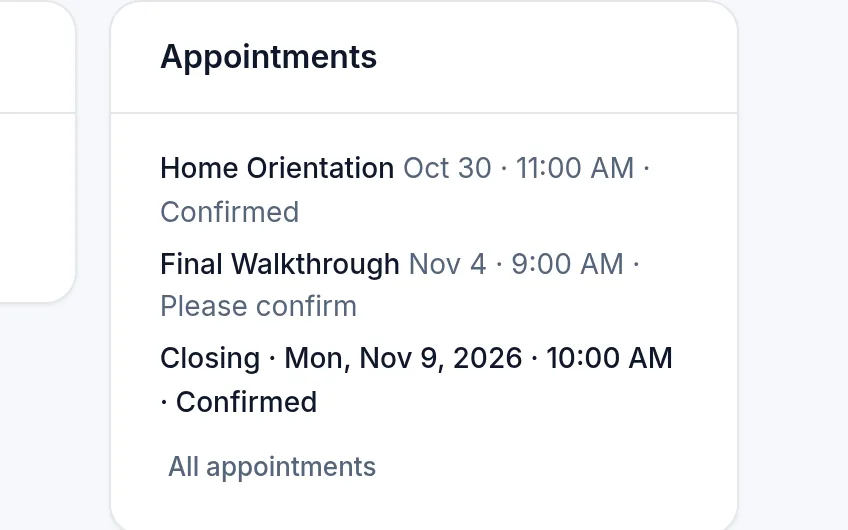
Product screen · fictional sample data Closing coordinator
One closing date, and who owns each item before it.
Product screen · fictional sample data
Product screens from our demo builder · fictional sample data.
For leadership
Stop opening every home to find the few that need help.
SingleStory flags what needs a decision, like a financing step that's overdue with closing near, or a walkthrough that isn't confirmed. Each one shows why and who owns it. Everything else stays quiet.
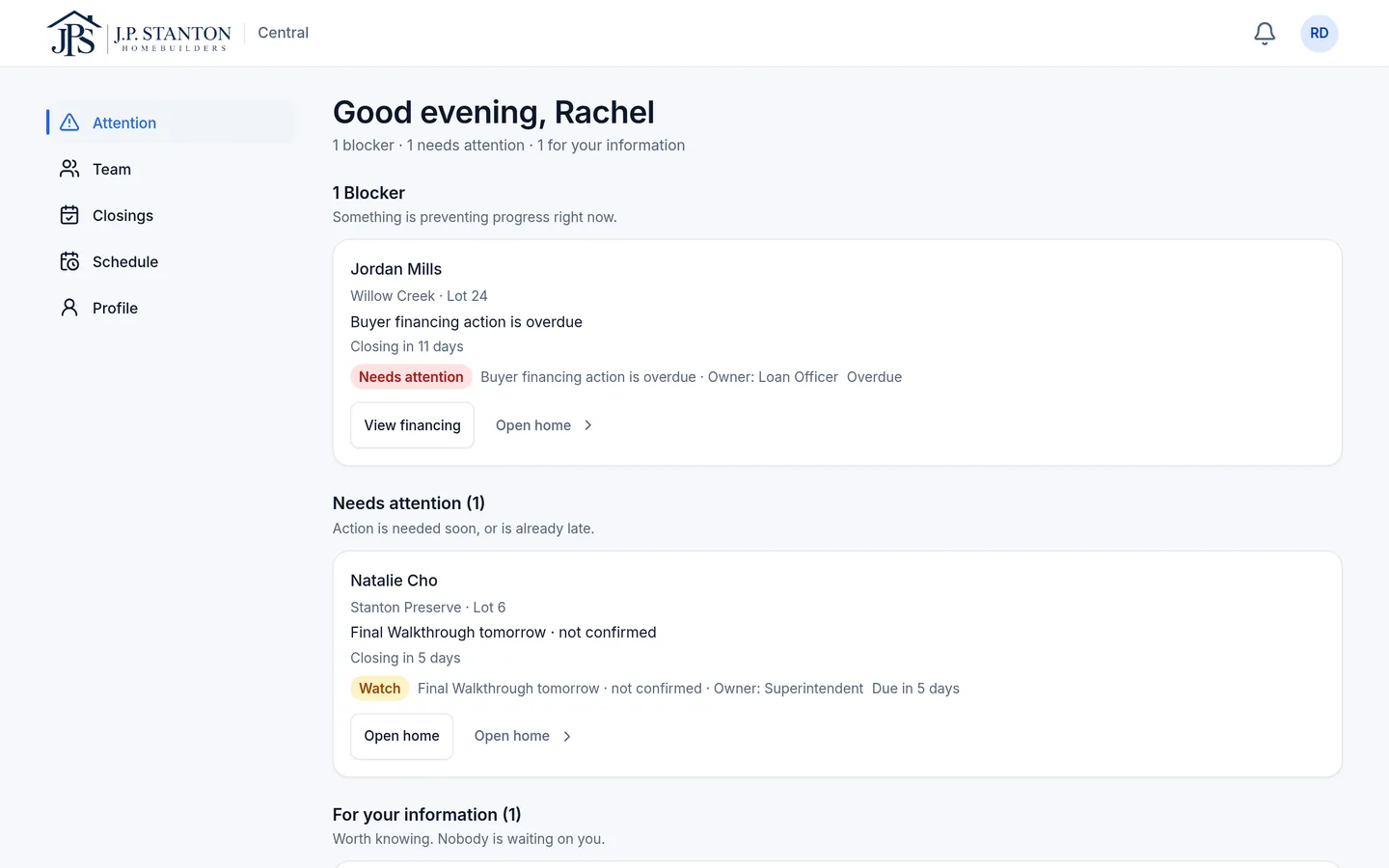
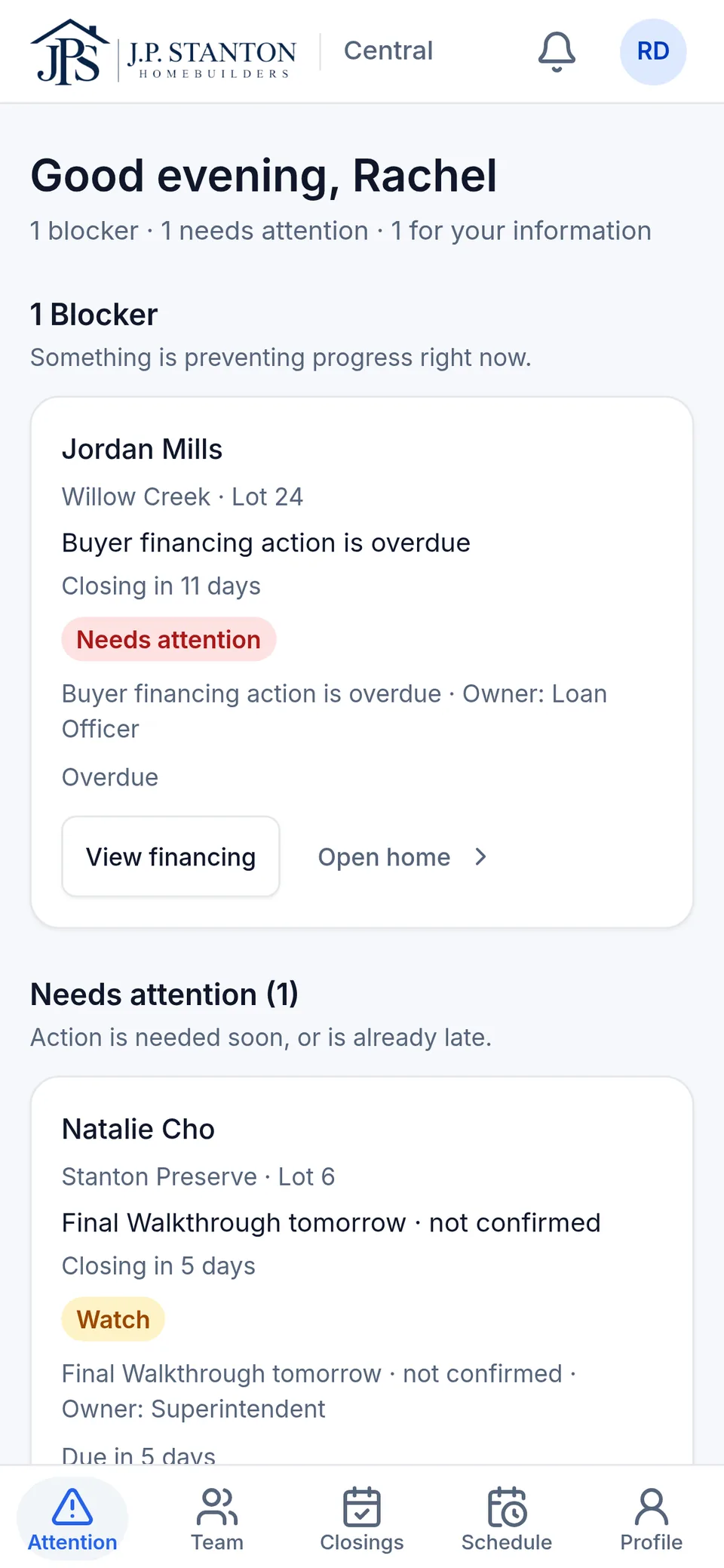
Sorted by what's blocking progress, with the owner on every item.
Why it's different
More than a buyer portal.
A buyer portal gives the buyer a screen. SingleStory gives your whole team the same home to work from. The buyer's view is what that teamwork looks like from outside.
The answer comes from the person who owns it. Construction owns progress, the loan officer keeps the loan milestone current, and closing owns the date. Nobody retypes someone else's answer.
Realtors and outside lenders see only their homes. Their access is limited to the homes they're added to, never your operations or other buyers.
Buyers see one next step. Not five competing reminders. Often the answer is “Nothing right now.”
Leadership sees the exceptions. Not another report to read.
Your brand, not ours. Your logo and colors on the screens your buyer sees, with a small “Powered by SingleStory” and nothing louder.
See each seat for yourself.
The walkthrough follows one home through every role.
See SingleStory in action
Works with what you already run
Keep the systems that run your business. Connect the people around them.
- CRMstays your system for leads and prospects
- Construction schedulestays your schedule of record
- Accounting and ERPcost and purchasing stay there
- Design center and selectionsstay where they are
- Lender systemsapplications and loan documents stay with the lender
- Title and closingsigned documents stay where they were signed

Who keeps it current?
The people who already own the answers.
- The people already doing the work. Superintendents, sales, loan officers and closing add updates from a phone or desktop, including progress photos from the field.
- We handle the setup. During onboarding we set up your communities and lots, then train your team to add new ones as you grow.
- Built to connect. Integrations with the builder tools you already use are planned. Today, nothing syncs automatically.
Access by role
Realtors and outside lenders see only the homes they're added to. Never your operations or other buyers.
Your brand on every buyer screen
Your logo and colors, with a small "Powered by SingleStory" and nothing louder.
Your systems stay the record
CRM, schedule, accounting and lender systems keep their data. SingleStory shows people where each home stands.
Working software
This is a working product, not a concept.
Our demo builder, J.P. Stanton Homebuilders, runs on the same product a Founding Builder would use, with fictional sample data. On a walkthrough, we open it live and switch roles in front of your team.
Live today
- Buyer home, timeline, updates with photos, documents and important dates
- Progress updates and photos posted from the field
- Appointment times offered to the buyer, who picks one
- One closing record (date, time, place, status) shown the same to every role
- Loan milestones kept current by the loan officer
- Realtor and outside-lender access limited to the homes they're added to
- Attention lists for superintendents, construction managers, sales and admins
- Email and in-app notifications
- Your logo and colors, plus divisions, communities and lots
Not part of SingleStory today
- Automatic sync with your CRM, ERP or construction schedule (planned)
- Text-message or push notifications
- Two-way messaging with buyers
- Loan applications or lender documents
- Warranty claims, service requests and maintenance
We keep two lists on purpose. Nothing moves to the left until it's live.
Built from inside new-home sales
“I kept seeing talented people working toward the same outcome while the buyer experienced the process as separate conversations.”
Stefan Bean, Founder · former REALTOR and new-home sales
Built after more than twenty years across marketing, real estate and new-home sales, working directly with buyers, Realtors and builder teams.
Why SingleStory existsFounding Builder Program
A small group of builders. Real homes. Direct founder involvement.
We're selecting a small group of Founding Builders to run SingleStory on real homes with their own teams and buyers, and to help shape what comes next. Selected for fit, not volume.
Explore the Founding Builder ProgramQuestions builders ask
Straight answers.
Anything else, ask us on a walkthrough.
Does SingleStory replace my CRM or construction schedule?
No. Those stay your systems of record. SingleStory is where the people on each home see where it stands. Integrations are planned; today nothing syncs automatically.
Who keeps it updated?
The people who own each answer. Superintendents post progress and photos, loan officers keep the loan milestone current and closing owns the date. We set up your communities and lots during onboarding.
What does the buyer see?
Their home, timeline, updates with photos, documents, important dates and one next step, under your logo and colors.
Can a Realtor see other buyers or our internal notes?
No. Realtors and outside lenders see only the homes they're added to. Read more on our security page.
What's live today, and what isn't?
Everything in the Live today list above. Notifications are email and in-app; text messages, push notifications and two-way messaging aren't part of SingleStory today.
What is the Founding Builder Program?
A small group of builders running SingleStory on real homes, with direct founder involvement and a hand in what comes next. Selected for fit, not volume.
See it with one of your homes in mind.
We'll walk one home from contract to closing and show you what the buyer, sales, the superintendent, the lender and the Realtor each see.
Built Together.